
ATR CUSTOMTOOLS is a broad productivity suite for SOLIDWORKS and SOLIDWORKS PDM (file naming, properties, searching, drawing automation, batch processing, ERP) aimed at companies that want one vendor for everything; PDMPublisher by Blue Byte Systems is a publishing engine built for release output: formats, placeholders, annotations, conditions, merged PDFs and a PDM Professional task. Verdict: PDMPublisher for batch export and release publishing; CUSTOMTOOLS when naming enforcement, drawing automation and batch printing matter as much as conversion.
At a glance
Both products batch convert SOLIDWORKS drawings and models and both run inside PDM Professional workflows. The table leads with the publishing capabilities PDMPublisher documents in more depth, then the shared ground, then the rows where CUSTOMTOOLS is ahead.
| Capability | PDMPublisher | CUSTOMTOOLS |
|---|---|---|
| Export formats | ✓ 25+ named formats, several per run | ✓ “25 file formats”, several per run |
| Merged PDF with TOC and bookmarks | ✓ Master PDF, TOC, bookmarks | ◐ Merge only; TOC not documented |
| Annotations and watermarks | ✓ Placeholders, watermark mode | ◐ Print-time properties (Professional) |
| Conditional processing | ✓ Condition groups, evaluation rules | ◐ Filter by property value |
| Per-configuration and per-sheet export | ✓ Filters and sheet name pattern | ◐ Per-sheet-format print settings |
| Scheduled PDM runs | ✓ Scheduled Items page | ✗ Not documented |
| Word and Excel to PDF in PDM | ✓ PDM task | ✗ Not documented |
| Audit of checked-in outputs | ✓ Task Details tab, vault logs | ◐ Excel reports |
| Free edition | ✓ Community, never expires | ✗ 30-day trial only |
| PDM Professional task on workflow transition | ✓ Own task, per vault | ✓ Task Add-in |
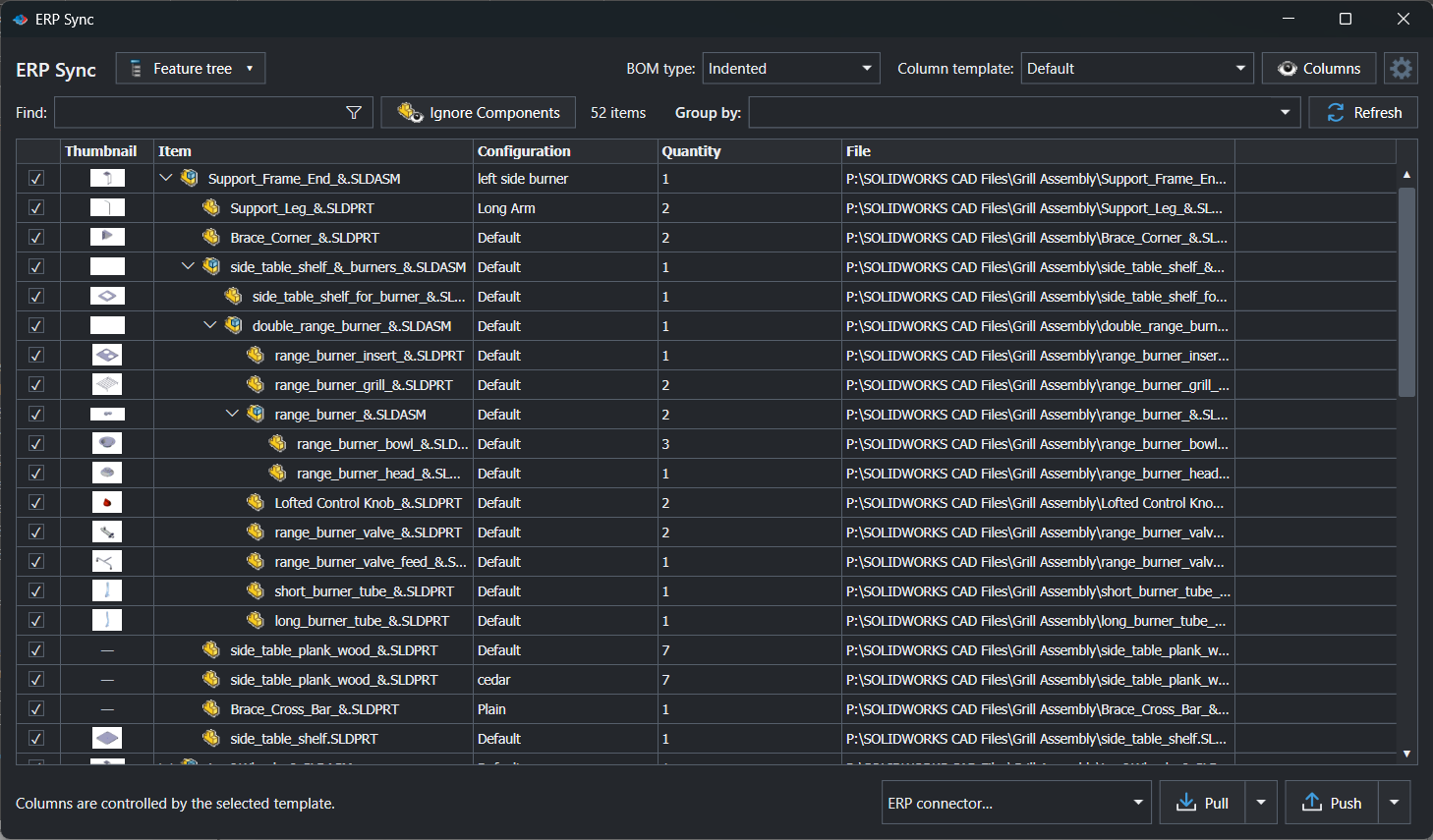
| ERP connectors | ✓ ERPNext, Odoo, Business Central, C# | ✓ Business Central, Odoo, NAV, Oscar Pro |
| BOM to ERP | ✓ Feature tree, BOM table, CSV | ◐ Professional, requires customization |
| Batch printing to printers | ✗ Not documented | ✓ Per sheet format, BOM order |
| Drawing automation and file naming enforcement | ✗ | ✓ Dedicated modules |
Competitor information from ATR Soft documentation as of September 2026; check their site for current details.
Why teams pick PDMPublisher
PDMPublisher is narrower and deeper on the publishing side. The format selector is explicit, selecting PDF on a part or assembly finds the same-name drawing and exports that, and everything a release package needs (naming, stamping, filtering, merging, check-in) is a setting in one profile or task definition.
- 25+ named formats: PDF, 3D PDF, STEP, IGES, Parasolid, STL, 3MF, IFC, DWG, DXF, eDrawings and images in one selector, several per run; the task also converts Word and Excel to PDF.
- PDFs that carry information: annotations with variable and SQL placeholders, watermark mode for review or release status, and a merged master PDF with table of contents and bookmarks.
- Conditions, not just filters: condition groups on variables, state or filename decide which references publish, so preliminary parts stay out of the release set.
- Configurations and sheets: export every configuration and every sheet matching a name pattern, named from
(Revision),(State)and(ConfigurationName). - PDM Professional automation you can audit: workflow transition, right-click or Scheduled Items triggers, vault logs, and a Task Details tab listing every checked-in output with its version.
- Lower barrier to entry: a free Community Edition that never expires, Premium per computer, ERP Sync included in the add-in, and Publisher Macros for VBA automation.
Where CUSTOMTOOLS has the edge
CUSTOMTOOLS covers ground PDMPublisher does not attempt, and for some teams that breadth is the point.
- Batch printing to physical printers: print settings per sheet format or paper size, managed print order that follows the BOM, and Excel-generated drawing lists (Batch Processing page).
- Drawing automation inside PDM: the Task Add-in adds workflow-driven Drawing Automation, Sheet Format actions and local version validation before print or convert (PDM Connection page).
- Ten modules from one vendor: file naming and numbering enforcement, project folders, Where Used search, sheet metal tools, reporting and a services team for ERP fitting.
- Bi-directional ERP with live search: fills SOLIDWORKS properties from ERP, creates and updates items, and offers an ERP search in the property pane.
Competitor information from ATR Soft documentation as of September 2026; check their site for current details.
Pricing and editions
CUSTOMTOOLS prices are from its pricing page, quoted at VAT 0%; PDMPublisher pricing is on pdmpublisher.com. The practical difference is the entry point: PDMPublisher starts free and stays free within the Community limits, while CUSTOMTOOLS starts with a 30-day trial and a per-unit license.
| Edition | PDMPublisher | CUSTOMTOOLS |
|---|---|---|
| Free edition | ✓ Community: PDF, DXF, STEP; 5 references per run; never expires | ✗ 30-day trial via portal.customtools.info |
| Paid desktop | Premium, licensed per computer | Basic EUR 500 per unit + EUR 250/yr; Professional EUR 1,000 per unit + EUR 250/yr |
| Network licenses | ✗ Not documented | ✓ Add 20% to license and maintenance |
| PDM Professional | ✓ Task licensed per vault, 7-day trial | ◐ Via PDM Connection; advanced features need Professional |
| ERP | ✓ ERP Sync included in the add-in (Community reviews 10 rows) | ERP Connector: EUR 3,000 setup for up to 10 users + EUR 200/yr per user |
Bottom line
When the job is publishing, PDMPublisher is the better fit: every drawing of an assembly as PDF and every part as STEP, named from revision and state, filtered by conditions, stamped with a watermark, merged with a table of contents and checked in with an audit trail, from a product that starts free. Choose CUSTOMTOOLS when batch output is one item on a longer list that also includes file naming enforcement, drawing automation on workflow transitions and printing to physical printers.
Try it
The two do not conflict in SOLIDWORKS, so PDMPublisher can sit beside CUSTOMTOOLS for publishing if you already run it for naming and properties.
- Download the free PDMPublisher for SOLIDWORKS add-in (Community Edition, no license needed): bluebyte.biz download.
- Start the 7-day PDMPublisher for PDM Professional task trial: bluebyte.biz/product/pdmpublisher-trial.
- Remove the Community limits with Premium: pdmpublisher.com/getpremium.
Availability
Available in PDMPublisher for SOLIDWORKS (the add-in) and PDMPublisher for PDM Professional (the task). Compares both PDMPublisher products with the ATR CUSTOMTOOLS suite, including its Batch Processing, PDM Connection and ERP Connection modules.
Documentation and related features
- ERP Sync (SOLIDWORKS add-in)
- Task Details tab
- ERP Sync
- Run as a SOLIDWORKS PDM task
- Merge multiple drawings into one PDF
- Watermark your PDFs
- Sheet metal publishing
- Batch SLDDRW to PDF
- SLDASM to STEP
- DOCX and XLSX to PDF as a PDM task
- PDMPublisher for PDM Professional
Frequently asked questions
Does CUSTOMTOOLS batch convert SOLIDWORKS drawings to PDF?
Yes. ATR’s Batch Processing page documents batch print and convert of drawings and models across 25 file formats, with naming and storing rules and merging of assembly drawings into one PDF.
Is PDMPublisher cheaper than CUSTOMTOOLS?
PDMPublisher for SOLIDWORKS has a free Community Edition and a per-computer Premium license, with the PDM task priced per vault. CUSTOMTOOLS lists Basic at EUR 500 and Professional at EUR 1,000 per unit plus EUR 250 per year maintenance, with no free edition documented.
Which one works with SOLIDWORKS PDM Professional workflows?
Both. PDMPublisher for PDM Professional is a task triggered by workflow transitions, the right-click menu or Scheduled Items; CUSTOMTOOLS provides a Task Add-in with workflow-driven batch operation templates, conversion rules and drawing automation.
Can either tool connect SOLIDWORKS to Odoo or Business Central?
Both document Odoo and Microsoft Dynamics 365 Business Central. PDMPublisher’s ERP Sync ships those connectors plus ERPNext and custom C# connectors inside the add-in; ATR’s ERP Connector is separately priced and its BOM export requires customization.