
Batch converting SOLIDWORKS files in PDM Professional on a state change is the point of having a vault. When a part, assembly, drawing or document moves to Released, its PDF, STEP, DXF and eDrawings should land in the right folder without anyone opening SOLIDWORKS. PDMPublisher for PDM Professional is the task that does it. Attached to a workflow transition, it exports the file that changed state, and its references if you want, at the revision the vault recorded.
What you get
Every format ticked under File Formats, written in one pass for every file that passes the transition. That’s pdf for drawings (and models with a same-name drawing), plus step, x_t, igs, stl, 3mf, ifc and other CAD formats for parts and assemblies. Drawings also get dwg and dxf; eDrawings are eprt/easm/edrw; images and pdf for Word and Excel round it off. Formats that don’t apply to a file’s type are dropped.
The files get one Filename pattern and one Export Location (or one per format with Customize Location). They go back into the vault as new versions with a PDMPublisher check-in comment, and into the task log. With Export references to file formats individually and a BOM Template, an assembly’s release exports its components too.
The manual way, and why it doesn’t scale
Someone gets the release notification, gets latest, opens each file, File > Save As for every format, checks the outputs in. Repeat after every ECO.
The outputs are as current as that person’s afternoon. The version exported is whatever was on their disk, which may be newer than the revision the vault approved.
Test the settings in the add-in first
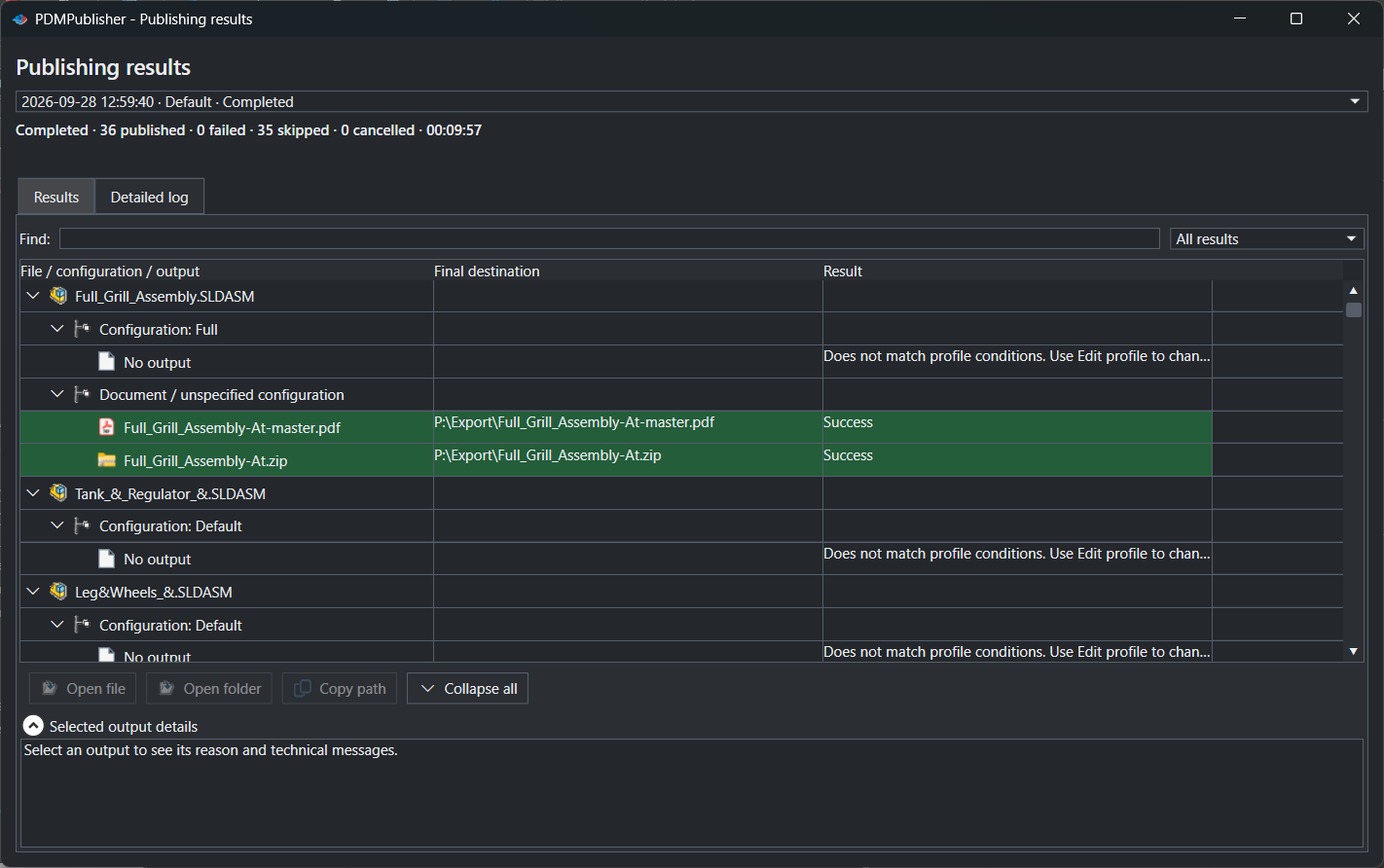
Use PDMPublisher for SOLIDWORKS to prove the settings first. Open a released assembly, set the same location, filename pattern and formats in a Publish profile, tick Export references to file formats individually and Publish. The review dialog and Publishing results show exactly what the task will produce.
Community Edition of the add-in does PDF, DXF and STEP only, up to 5 references per run. The task is licensed per vault and includes every format.
Batch convert SOLIDWORKS files in PDM with a task
- In PDM Administration, right-click Tasks, select New Task, choose PDMPublisher and name it. Tick the task hosts under Execution Method.
- On the Options page, set Export Location, such as
(VaultRootFolder)\Released\(TargetExtension)\($ProjectNumber)(no trailing backslash), and Filename, such as(FileNameWithoutExtension)-(Revision). - Under File Formats, tick every format the release needs: Adobe PDF, STEP, DXF, eDrawings and so on. Keep Export affected document on.
- For assemblies that should export their components, set Template to a PDM BOM layout with name, configuration and quantity columns and enable Export references to file formats individually. Add Conditions on PDM variables to skip purchased or non-released references.
- Enable Get latest revision only. The task retrieves the version tied to the newest recorded revision, with its saved references, and logs which it used. A file without a revision fails rather than exporting work in progress. It overrides Work with latest version.
- Enable Vault Activity Logs with Log Folder (Vault Only) at
(VaultRootFolder)\Logs\PDMPublisher(create it first; the task host must be able to add files there). Add Server-Synced Activity Logs if support may need them. - Pick Use this version of SOLIDWORKS, then open the release transition in the workflow and add the task under its actions. Hide Task in File Explorer stops people launching it by hand.
Settings that matter for a state-change batch
| Setting | What it does | Tip |
|---|---|---|
| File Formats | Every ticked format in one pass; invalid formats per source type are dropped. | One task for drawings, models and documents. |
| Export references to file formats individually | On an assembly, writes each referenced part and sub-assembly (and with PDF, its same-name drawing) as its own file. | Task: needs a BOM Template with name, configuration and quantity columns. |
| Template (task) | PDM BOM layout used to work out references, configurations and quantities. | Must include <Name>, <Configuration> and <RefCount>. |
| Get latest revision only (task) | Exports the version tied to the newest PDM revision, with its saved references. | No revision, no export; overrides Work with latest version. |
| Work with latest version | Gets the latest file version before publishing. | Careful in release workflows; overridden by Get latest revision only. |
| Vault Activity Logs / Log Folder (Vault Only) | Step-by-step logs in a vault folder. | (VaultRootFolder)\Logs\PDMPublisher; enables Task Details. |
Naming and folders
Placeholders keep the released outputs organized however many files a transition carries:
(VaultRootFolder)\Released\(TargetExtension)\($ProjectNumber): apdf,stepanddxffolder per project from one task.(FileNameWithoutExtension)-(Revision)and, with configurations,(FileNameWithoutExtension)-(ConfigurationName)-(Revision).(TopAssemblyFolder)\Exports\(State)\(Revision): outputs beside the source, in a folder per state and revision.
Customize Location sends
dxfto the laser share andstepto the supplier share while
Tips and troubleshooting
- Task failed with Get latest revision only? The file has no recorded PDM revision, and the task won’t export an unrevised version by design.
- Check the Task Details tab: it lists destination file, version, original file and folder for every file checked in. Files saved outside the vault aren’t tracked there.
- Can’t see the exported files? The task user needs add and edit permission in the export location. The vault root is usually locked.
- Task can’t check in the log file? Check the log folder permissions and make sure
txtisn’t in the vault’s auto-add user setting. - Assembly references incomplete? The task host needs local copies. Get Latest on the assembly and its references there.
Availability
Available in PDMPublisher for PDM Professional, the task add-in configured in the PDM Administration tool. This guide is about the PDM task. PDMPublisher for SOLIDWORKS uses the same settings interactively on the document open in SOLIDWORKS, which is a good way to test a profile before you build the task.
Documentation and related features
- Run a Publish Job (PDMPublisher for SOLIDWORKS)
- Get Latest Revision Only
- Run as a SOLIDWORKS PDM task
- SOLIDWORKS PDM integration
- Conditional assembly processing
- Extension-specific export locations
- SOLIDWORKS assembly documents
- Batch convert SOLIDWORKS drawings to PDF
- Convert an assembly to STEP per part
- Convert Word and Excel files to PDF with a PDM task
Frequently asked questions
How do I convert SOLIDWORKS files to PDF and STEP automatically when they are released in PDM?
Create a PDMPublisher task with Adobe PDF and STEP ticked, a location and filename pattern, and Get latest revision only on. Add it to the release transition.
Which version of the file does the task export?
With Get latest revision only, the version tied to the newest recorded revision and its saved references. Otherwise the checked-in version, or the latest with Work with latest version.
Can one task handle drawings, parts, assemblies and Word documents?
Yes. Formats that don’t apply to a file’s type are dropped, so one task with several formats ticked exports each file by its type.
How do I see what the task produced?
Enable Vault Activity Logs and a Log Folder. Task Details then lists every output checked in; Open Log File shows the full log.