
A PDF that leaves the vault should say what it is: PRELIMINARY, Rev C – Released, Qty 4 per assembly, or a QR code that leads back to the record. Annotations place text, property values, PDM variables, SQL results, watermarks and QR codes on exported sheets without touching the source drawing. Define each one once; every export carries it.
In short
- Open PDMPublisher > Annotations (add-in) or the task’s Annotations page, Add annotation, type text with placeholders, tick Watermark or QR code, position it, choose the Sheets.
- Values come from the document in the add-in and from the vault in the task, so the stamp always reflects the real revision and state.
- Annotations and PDF are free in the Community Edition.
How it works
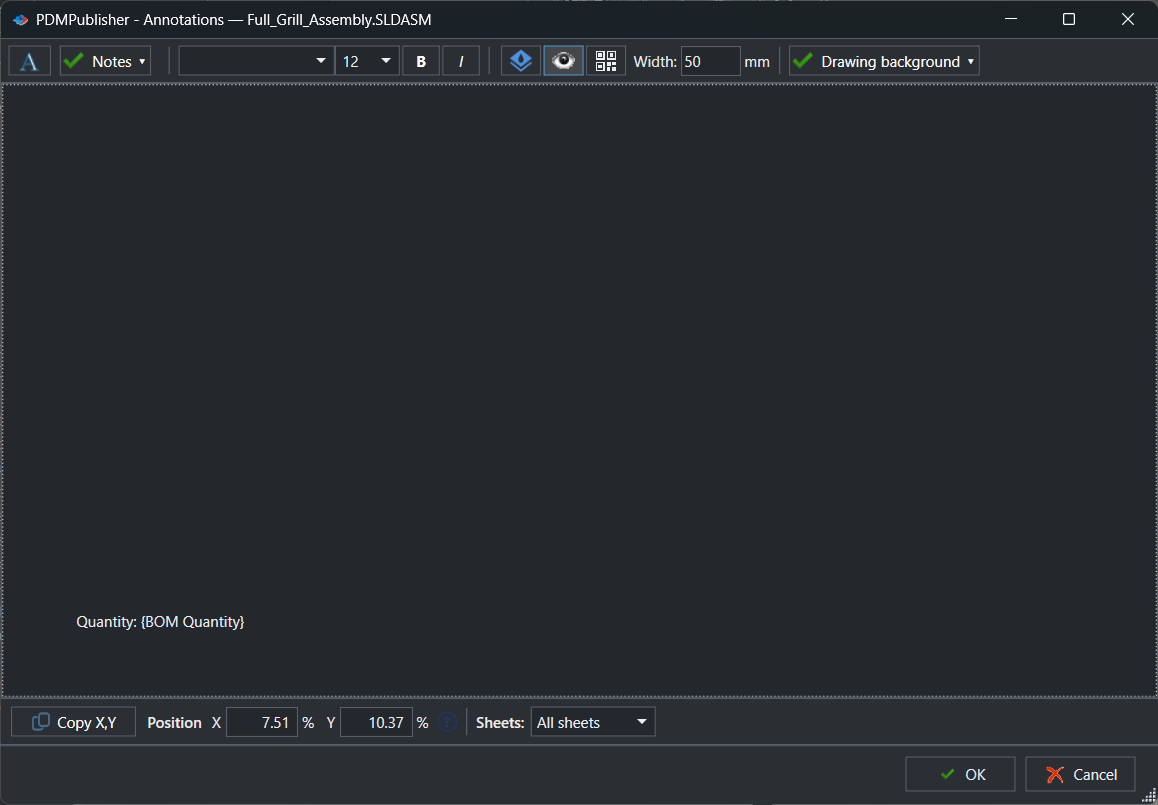
- Open the editor: PDMPublisher > Annotations in the add-in (the command arrow picks a named profile), or the Annotations page of the task.
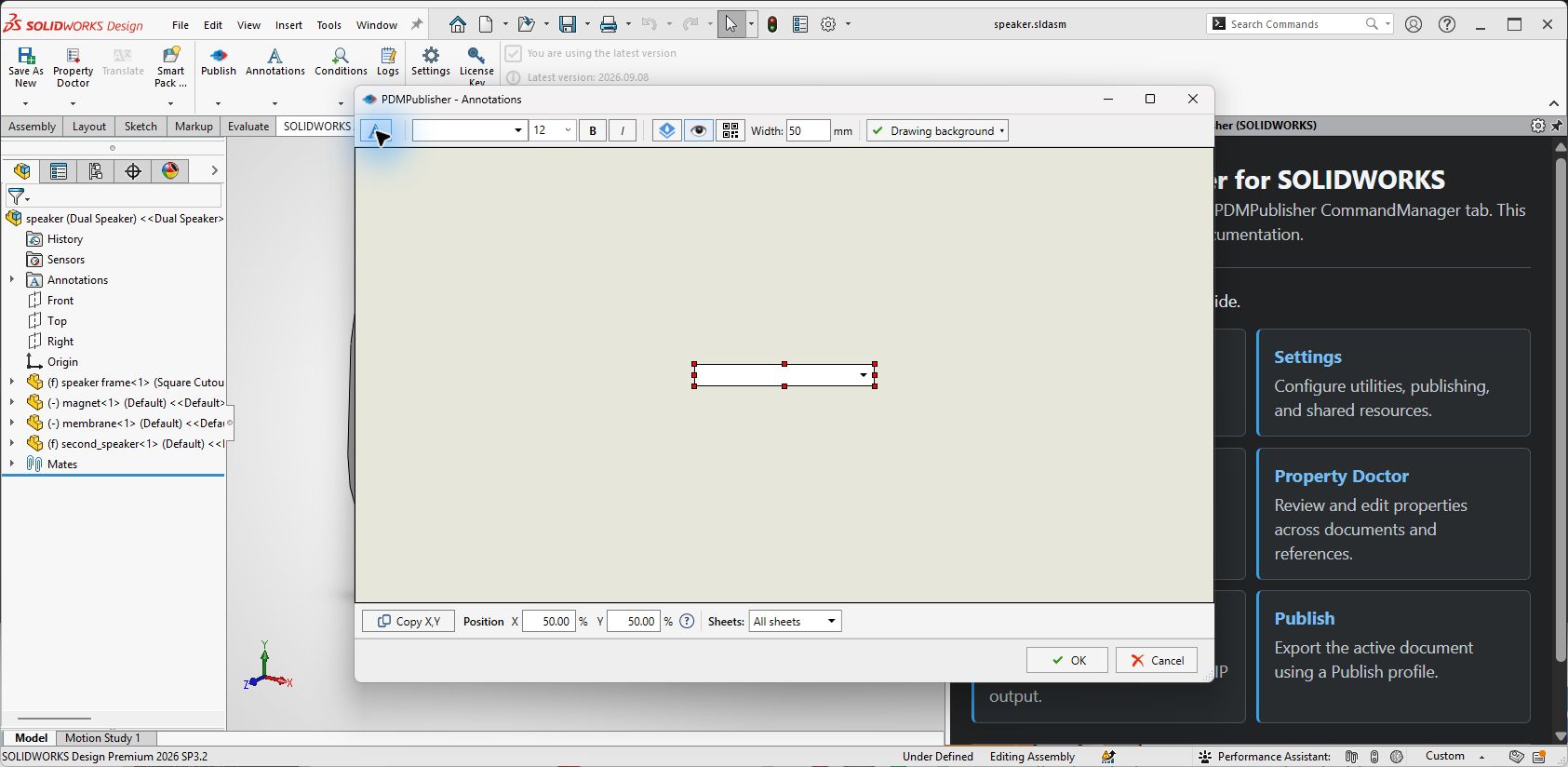
- Add annotation, type the text and insert placeholders from the value menu; add a SQL value for database text.
- Format it (font, size, bold, italic), tick Watermark for a diagonal semi-transparent label or QR code with a width in mm.
- Drag it on the sheet preview or enter Position X / Y in percent; choose the Sheets rule.
- Publish with Adobe PDF ticked; the stamp is drawn on every exported page that matches.
Settings that matter
| Setting | What to put | Why |
|---|---|---|
| Text | Released Rev (Revision) on (Date) by (LaunchingUser) | The stamp always matches the vault. |
| Watermark | On, size 72, bold, X 50 / Y 50 | PRELIMINARY across every sheet. |
| QR code | On, width in mm, text (PartNumber) | Scans back to the record. |
| Sheets | All sheets, First sheet, or a name pattern | A cover stamp and a per-page stamp side by side. |
| Active | Off to keep a stamp defined but unused | Switch stamps on per transition without rebuilding them. |

Recipes
| You want | Set | You get |
|---|---|---|
| A preliminary watermark | PRELIMINARY – NOT FOR PRODUCTION, size 72, bold, Watermark, centre, all sheets; task on the review transition | Every review PDF is unmistakable. |
| A release stamp on the first sheet | Released Rev (Revision) on (Date), size 12, X 85 / Y 5, first sheet; task on the Released transition | The released PDF carries its own evidence. |
| A quantity note in merged packages | Qty (BOMQuantity) in (TopAssemblyName), all sheets, with references exported and merged | Every component page shows its count. |
If something looks wrong
- The annotation does not appear: check Active is on, PDF is among the formats, and the Sheets rule matches the exported sheet names.
- A placeholder prints empty: the variable is empty for that configuration or document; check the data card.
- The stamp lands elsewhere on another sheet size: position is a percentage; test on the largest and smallest format.
- The SQL value is empty: the query parameter maps to a field that is empty for that document.
Availability
Annotations is shared by PDMPublisher for SOLIDWORKS and the PDM Professional task. In the add-in they travel with a Publish profile; in the task they live on its Annotations page.
Keep going
Documentation
Frequently asked questions
How do I add a watermark to a SOLIDWORKS drawing PDF automatically?
Open PDMPublisher > Annotations (add-in) or the task’s Annotations page, add an annotation with the watermark text, enable Watermark, position it and choose the sheets. Every PDF published with that profile or task is stamped.
Can the watermark text change with the PDM workflow state?
Yes. Use the (State) placeholder in the text, or configure different tasks on different transitions, for example a PRELIMINARY watermark on the review transition and none on the Released transition.
Does an annotation modify my SOLIDWORKS drawing?
No. The editor’s drawing area is a positioning preview only. Annotations are drawn onto the exported PDF; the source drawing is not changed.
Can I put a SOLIDWORKS custom property or PDM variable on the PDF?
Yes. The value menu lists SOLIDWORKS custom properties from the active document in the add-in and PDM variables in the task, plus built-in placeholders such as (Revision), (Date) and (BOMQuantity).
How do I get annotation text from an external database?
Add a SQL value to the annotation, open Edit SQL Query, enter the SQL Server connection string and a query using ($SQL-Filename), ($SQL-Part), ($SQL-Assembly) or ($SQL-Drawing), then Test Query.
Can PDMPublisher add a QR code to a PDF?
Yes. In the add-in’s Annotations editor, enable QR code on an annotation and set Width (mm). The evaluated annotation value is rendered as the QR code.
How do I apply an annotation only to the first sheet?
Set the annotation’s Sheets rule to First sheet. Use These sheets with names separated by comma for specific sheets, or All sheets for every page.