
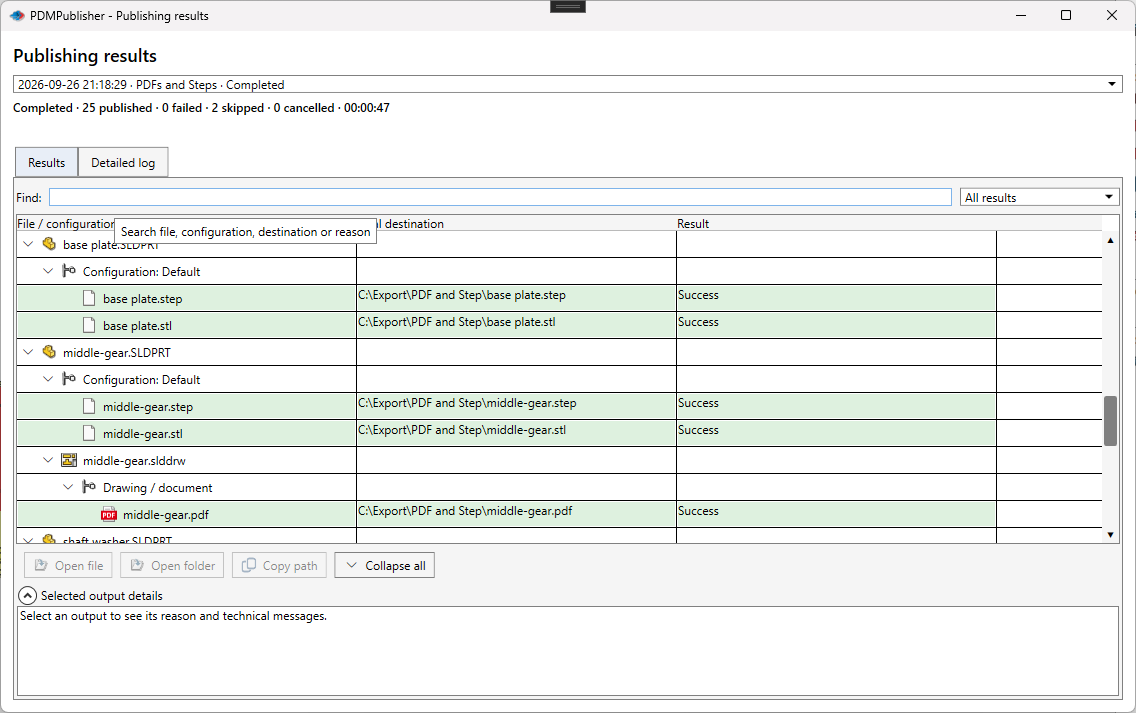
SOLIDWORKS Task Scheduler installs with SOLIDWORKS and its Export Files task does what the name says: point it at files or folders, pick a format, pick a time, which suits bulk conversion of a folder on disk; PDMPublisher by Blue Byte Systems is a publishing engine that decides names, folders, references and post-processing per file, with a PDM Professional task for vault runs. Verdict: PDMPublisher for release output; Task Scheduler for a timed sweep of a legacy folder.
At a glance
Task Scheduler facts come from the SOLIDWORKS blog, a Hawk Ridge Systems support article, Javelin and GoEngineer. The table leads with what PDMPublisher documents and Task Scheduler does not, then the shared ground, then the rows where Task Scheduler wins.
| Capability | PDMPublisher | Task Scheduler |
|---|---|---|
| Output naming | ✓ Placeholders, properties, PDM variables | ✗ Not documented |
| Output folder | ✓ Placeholder paths, per-format | ◐ Source folder or one folder |
| Several formats per run | ✓ One File Formats selection | ✗ Not documented |
| Merged PDF with TOC and bookmarks | ✓ Assembly runs | ✗ Not documented |
| Annotations and watermarks | ✓ Placeholders, watermark mode | ✗ Not documented |
| Conditional processing | ✓ Variables, state, filename | ◐ File name or type filter |
| Per-configuration and per-sheet export | ✓ Filters and sheet name pattern | ✗ Not documented |
| PDM Professional task on workflow transition | ✓ Check-in, variables, references | ✗ Not documented |
| ERP Sync | ✓ ERPNext, Odoo, Business Central, C# | ✗ Not documented |
| Free edition | ✓ Community, never expires | ◐ Scheduling needs Professional or Premium |
| Export formats | ✓ 25+ formats | ✓ 24+ types |
| Folder scanning with subfolders | ✗ Not documented | ✓ Files, folders, filter |
| Timer scheduling without PDM | ◐ PDM task only | ✓ Once, Daily, Weekly, Monthly |
| Timeout and background mode | ✗ Not documented | ✓ Advanced settings |
Competitor information from SOLIDWORKS, Hawk Ridge Systems, Javelin and GoEngineer documentation as of September 2026; check their sites for current details.
Why teams pick PDMPublisher
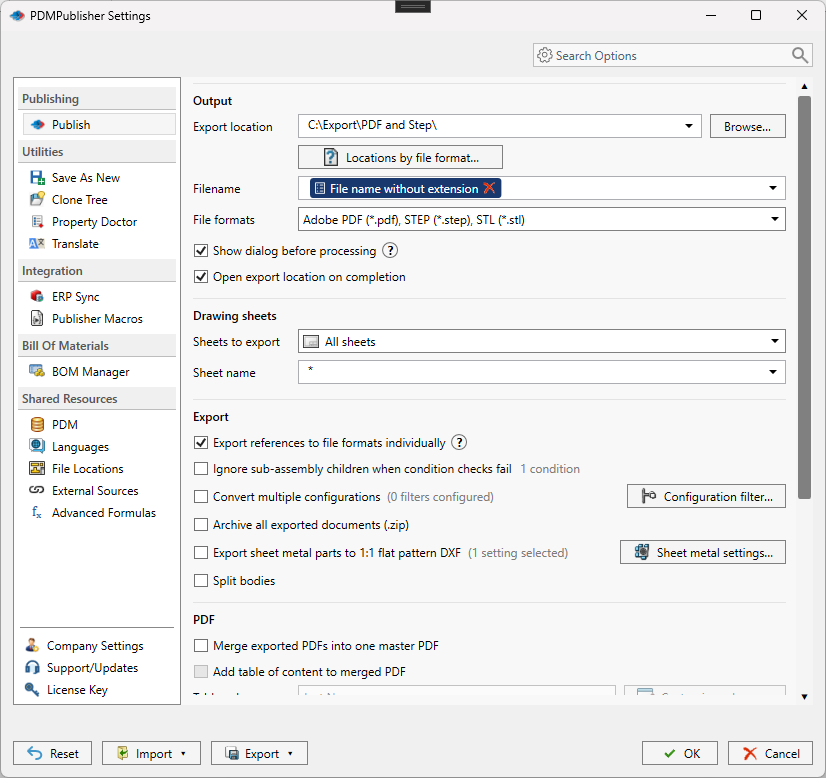
Task Scheduler exports whatever sits in a folder under its source name. PDMPublisher decides per file: Filename and Export location take placeholders such as (Revision), (State) and (ConfigurationName), Customize Location sends each format to its own folder, and the same profile or task definition works for the next person.
- Names and folders follow the release:
(TopAssemblyFolder)\Exports\(State)\(Revision)resolves per file, so revision B never overwrites revision A. - Configurations and sheets, not just documents: every configuration with an include/exclude filter, and only the drawing sheets whose names match a pattern.
- Assemblies are traversed: references are exported individually, conditions decide which qualify, and PDF on a part or assembly finds the same-name drawing.
- Release-ready PDFs: merged master PDF with table of contents and bookmarks, annotations, watermarks, ZIP archive, flat pattern DXF and split bodies in one run.
- PDM Professional automation: the task runs on transition, right-click or Scheduled Items, checks outputs into the vault, maps variables and links output back to source.
- Free forever to start: the Community Edition publishes PDF, DXF and STEP with no expiry, and Publisher Macros and ERP Sync extend the engine without a script host.
Where Task Scheduler has the edge
Task Scheduler is a folder-and-timer tool, and for that job it is already installed.
- Folder input with a timer: add files or a folder with subfolders and a name or type filter, then run Once, Daily, Weekly or Monthly; Hawk Ridge states SOLIDWORKS launches, runs and closes itself (support article).
- Broad format list at no extra cost: DXF, DWG, IGES, PDF, STEP, JPEG in the 2017 post, 17 more types added in 2018 per Javelin, and more than 24 today per Hawk Ridge.
- Timeout and background mode: Advanced settings cover a Task Working Folder, a per-task timeout and background execution; PDMPublisher does not document a timeout.
- No add-in to install: it opens from the SOLIDWORKS Tools folder and reports through the SOLIDWORKS Task Scheduler Report on the Completed status.
Competitor information from SOLIDWORKS, Hawk Ridge Systems, Javelin and GoEngineer documentation as of September 2026; check their sites for current details.
Pricing and editions
Task Scheduler is included with SOLIDWORKS, but the SOLIDWORKS blog states that scheduling tasks other than convert-to-latest needs a Professional or Premium seat. PDMPublisher’s Community Edition has no seat requirement and never expires; Premium is per computer and the PDM task per vault. Details on pdmpublisher.com.
| Edition | PDMPublisher | Task Scheduler |
|---|---|---|
| Free edition | ✓ Community: PDF, DXF, STEP; 5 references per run; never expires | ◐ Included; Export Files scheduling needs Professional or Premium |
| Paid desktop | Premium, licensed per computer | Not applicable |
| PDM Professional | ✓ Task licensed per vault, 7-day trial | ✗ Not documented |
| Trial | ✓ 7-day task trial; add-in Request New Trial | Not applicable |
Bottom line
For release output, PDMPublisher is the better fit: names and folders that follow revision and state, every configuration and matching sheet, assemblies walked with conditions, PDFs merged and watermarked, and a PDM task that checks the results into the vault. Choose Task Scheduler when you own SOLIDWORKS Professional or Premium and the job is a timed sweep of a folder on disk, such as a one-off conversion of a legacy archive or nightly STEP files of a project folder.
Try it
Start with the free add-in, then trial the task on a test vault before attaching it to a release transition.
- Download the free PDMPublisher for SOLIDWORKS add-in (Community Edition, no license needed): bluebyte.biz download.
- Start the 7-day PDMPublisher for PDM Professional task trial: bluebyte.biz/product/pdmpublisher-trial.
- Remove the Community limits with Premium: pdmpublisher.com/getpremium.
Availability
Available in PDMPublisher for SOLIDWORKS (the add-in) and PDMPublisher for PDM Professional (the task). Task Scheduler is compared with both PDMPublisher products: the SOLIDWORKS add-in for interactive publishing and the PDM Professional task for scheduled and workflow-driven runs.
Documentation and related features
- Publish settings (SOLIDWORKS add-in)
- Scheduled Items task page
- Run as a SOLIDWORKS PDM task
- SOLIDWORKS drawing documents
- Merge multiple drawings into one PDF
- Sheet metal publishing
- Batch SLDDRW to PDF
- SLDPRT to STEP
- SLDASM to STEP
- PDMPublisher for SOLIDWORKS
- PDMPublisher for PDM Professional
Frequently asked questions
Is SOLIDWORKS Task Scheduler free?
It installs with SOLIDWORKS, but the SOLIDWORKS blog states that scheduling tasks such as Export Files requires a Professional or Premium license. PDMPublisher for SOLIDWORKS has a free Community Edition with no seat requirement.
Can Task Scheduler export all configurations or all sheets?
The posts we read do not describe configuration or sheet handling for the Export Files task. PDMPublisher has Convert multiple configurations with a Configuration Filter and Sheets to export with a Sheet name pattern.
Does SOLIDWORKS Task Scheduler work with PDM?
None of the sources we read mention PDM; Task Scheduler takes files and folders from disk, with no check-in, variables or references. PDMPublisher for PDM Professional runs as a PDM task and checks outputs into the vault.
Can PDMPublisher run unattended like Task Scheduler?
The PDM Professional task can, from a workflow transition or the PDM Scheduling page with a Scheduled Items list. The SOLIDWORKS add-in is interactive and publishes the open document.