
CAD+ Batch+ by Xarial is a stand-alone utility that runs macros you supply against a batch of SOLIDWORKS models, built for developers who already have export code; PDMPublisher by Blue Byte Systems is a publishing engine with formats, naming, annotations, conditions, PDF merging and a PDM Professional task built in, for teams that want release output from settings rather than scripts. Verdict: PDMPublisher for publishing and release packages; Batch+ when the job is running your own macros.
At a glance
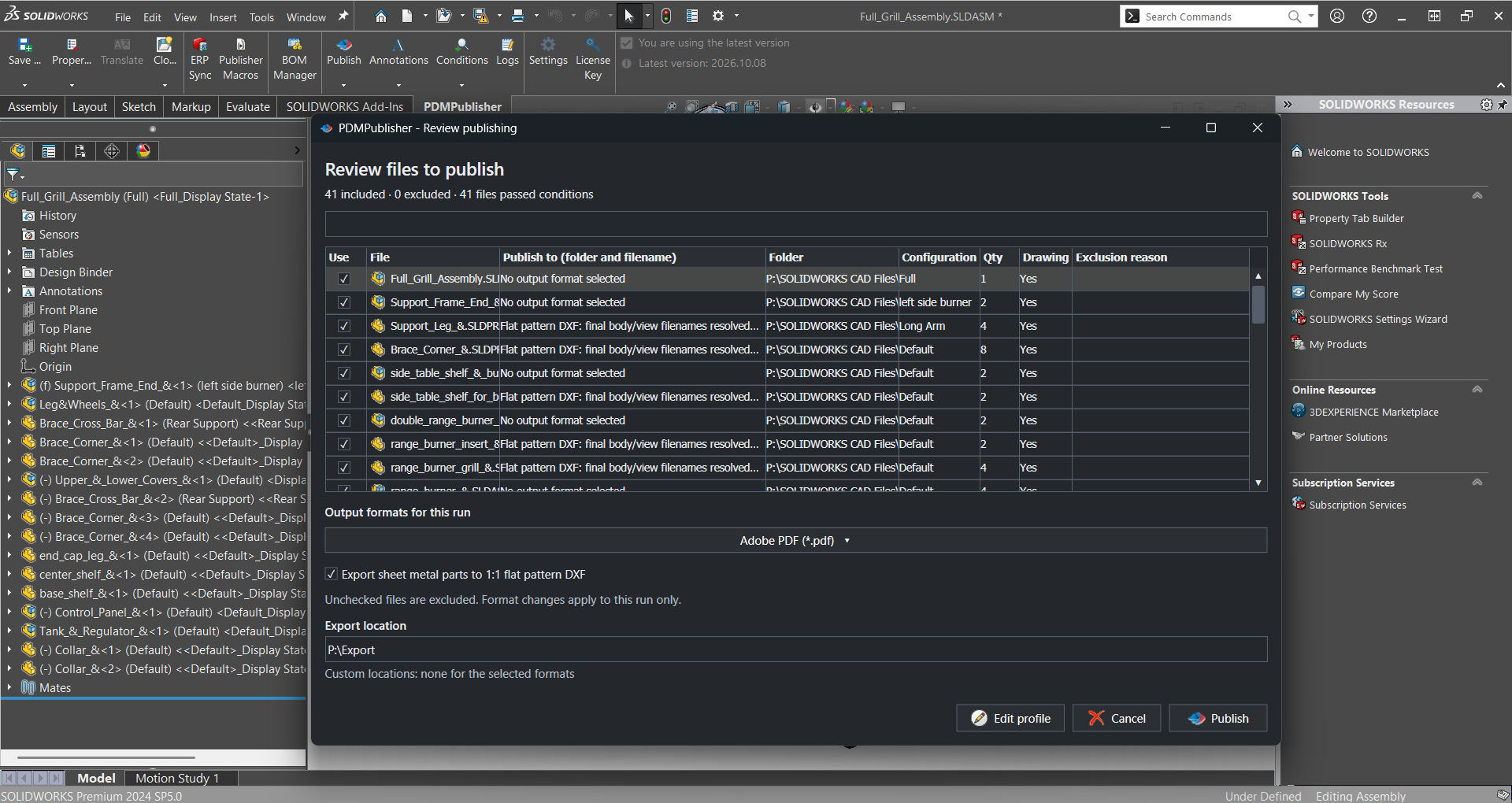
Batch+ is a macro runner with strong reliability features and a large free tier; PDMPublisher is a configurable export engine set up with checkboxes and placeholders. The table leads with the publishing capabilities PDMPublisher documents and Batch+ does not, then the neutral ground, then the rows where Batch+ is ahead.
| Capability | PDMPublisher | CAD+ Batch+ / eXport+ |
|---|---|---|
| Export without writing a macro | ✓ Settings and placeholders | ✗ Runs your macros |
| Export formats | ✓ 25+ formats in one selector | ◐ Macro-defined; eXport+ images |
| Merged PDF with TOC and bookmarks | ✓ Assembly runs | ✗ Not documented |
| Annotations and watermarks | ✓ Placeholders, watermark mode | ✗ Not documented |
| Conditional processing | ✓ Variables, state, filename | ◐ Input filters, component scope |
| Per-configuration and per-sheet export | ✓ Filters and sheet name pattern | ◐ Activate all configurations |
| PDM Professional task on workflow transition | ✓ Own task, per vault | ◐ Premium edition only |
| Scheduled PDM runs | ✓ Scheduled Items page | ✗ Not documented |
| ERP Sync | ✓ ERPNext, Odoo, Business Central, C# | ✗ Not documented |
| Free edition | ✓ Community, never expires | ✓ Community, eligibility thresholds |
| Macros and scripting | ✓ Publisher Macros (VBA) | ✓ VBA, VSTA, xCAD |
| Command line | ✗ Not documented | ✓ batchplus.exe, eXport+ |
| Crash and hang monitoring | ✗ Not documented | ✓ Restarts SOLIDWORKS |
| Runs without SOLIDWORKS | ✗ | ◐ eXport+ via eDrawings |
Competitor information from Xarial documentation as of September 2026; check their site for current details.
Why teams pick PDMPublisher
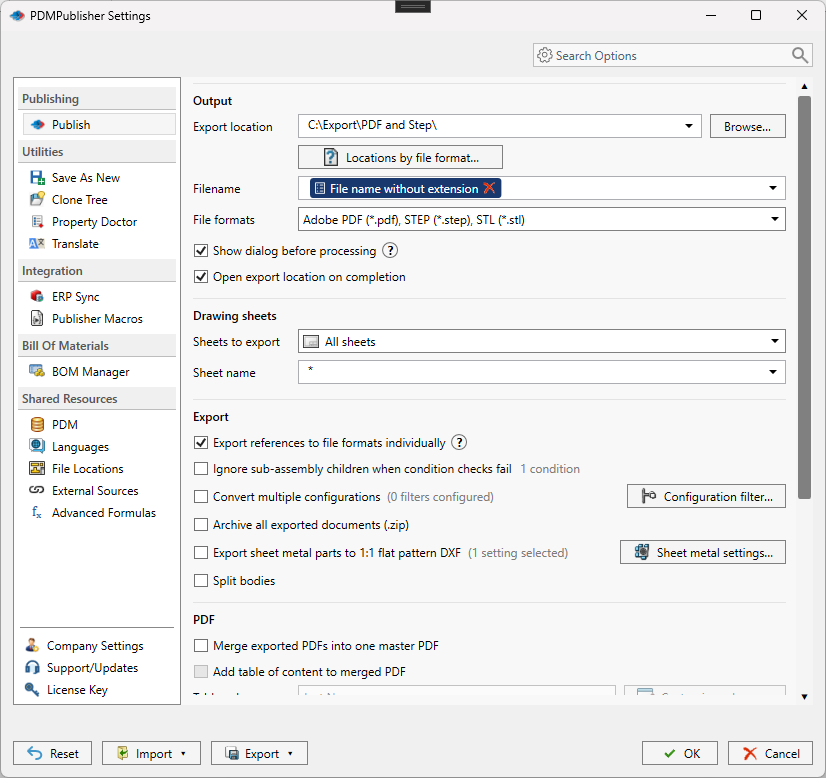
PDMPublisher is the export logic rather than a host for yours. Formats are chosen in File Formats, destinations are described with placeholders in Export location and Filename, sheets are filtered by Sheets to export and a sheet name pattern, and conditions decide which references are processed. The same profile or task definition works for the next person, with no macro to hand over.
- 25+ formats in one selector: PDF, 3D PDF, STEP, IGES, Parasolid, STL, 3MF, IFC, DWG, DXF, eDrawings and images, several per run, with no macro to maintain.
- Release-ready PDFs: watermarks and annotations with variable and SQL placeholders, plus a merged master PDF with table of contents and bookmarks.
- Conditions decide what publishes: only references whose variables, state or filename match, so review copies and released files never mix.
- Configurations and sheets, not just documents: export each configuration and each matching sheet, named from
(Revision),(State)and(ConfigurationName). - PDM Professional automation: the task runs on workflow transitions, right-click or Scheduled Items, with vault logs and a Task Details tab of every checked-in output.
- Free forever to start: the Community Edition publishes PDF, DXF and STEP with no expiry, and Publisher Macros expose Save As New, Property Doctor, Clone Tree and ERP Sync to VBA.
Where CAD+ Batch+ has the edge
Batch+ is honest about what it is: “a stand-alone utility that runs specified macros against a batch of SOLIDWORKS models”. If you already have a macro that exports a drawing the way you like, Batch+ supplies the batch loop, the file queue and the babysitting, and it does those well. Assembly scope (All Components, Top Level Components, Selected Components), dependency ordering and rapid-mode opening are documented too.
- Reliability for long macro runs: Xarial documents that Batch+ monitors SOLIDWORKS for crashes and hangs and restarts it, with a per-file timeout and a continue-on-error switch (Batch+ page).
- Command line:
batchplus.exeaccepts VBA, VSTA and xCAD macros, inputs, filters and saved.bpjjobs, so any external scheduler can call it. - eXport+ needs no SOLIDWORKS seat: it publishes eDrawings formats, HTML, STL and images through eDrawings, with PDF marked experimental.
- Generous Community Edition: free including commercial use for companies under Xarial’s revenue and headcount thresholds (buy page).
Competitor information from Xarial documentation as of September 2026; check their site for current details.
Pricing and editions
Both vendors publish a free tier; the difference is that PDMPublisher’s Community Edition has no company-size eligibility test and never expires, while its paid Premium is a per-computer license and the PDM task is priced per vault. CAD+ figures are from the Xarial buy page in Australian dollars without GST; PDMPublisher pricing is on pdmpublisher.com.
| Edition | PDMPublisher | CAD+ Toolset |
|---|---|---|
| Free edition | ✓ Community: PDF, DXF, STEP; 5 references per run; never expires | ✓ Community: under AUD 1,000,000 revenue and 10 employees |
| Paid desktop | Premium, licensed per computer | Standard AUD 250 + 50/yr, Professional AUD 500 + 100/yr, Premium AUD 1,000 + 200/yr per user |
| PDM Professional | ✓ Task licensed per vault, 7-day trial | ◐ Premium edition only |
| Trial | ✓ 7-day task trial; add-in Request New Trial | ◐ Requested with a device ID; length not stated |
| Educational | ✗ Not documented | ✓ Free, non-commercial |
Xarial’s eligibility page states the Community criteria apply from 1 January 2027 with grandfathering for earlier registrations.
Bottom line
For publishing and release packages, PDMPublisher is the better fit: every drawing as PDF and every part as STEP, named by revision and state, stamped, merged with a table of contents and checked into the vault on approval, all from settings a PDM administrator can maintain. Choose CAD+ Batch+ when the export logic already lives in your own macros and you want a crash-tolerant batch runner with a command line to execute them.
Try it
Start with the free add-in, then trial the task on a test vault before attaching it to a release transition.
- Download the free PDMPublisher for SOLIDWORKS add-in (Community Edition, no license needed): bluebyte.biz download.
- Start the 7-day PDMPublisher for PDM Professional task trial: bluebyte.biz/product/pdmpublisher-trial.
- Remove the Community limits with Premium: pdmpublisher.com/getpremium.
Availability
Available in PDMPublisher for SOLIDWORKS (the add-in) and PDMPublisher for PDM Professional (the task). Compares both PDMPublisher products with the Batch+ and eXport+ modules of the CAD+ Toolset and their PDM Professional integration.
Documentation and related features
- Community vs Premium comparison (SOLIDWORKS add-in)
- PDM task vs SOLIDWORKS add-in
- Run as a SOLIDWORKS PDM task
- Publisher Macros
- Merge multiple drawings into one PDF
- Watermark your PDFs
- Conditional assembly processing
- Batch SLDDRW to PDF
- SLDPRT to STEP
- PDMPublisher for SOLIDWORKS
- PDMPublisher for PDM Professional
Frequently asked questions
Is CAD+ Batch+ free?
The CAD+ Toolset has a Community Edition that Xarial describes as free, including commercial use, for companies under its eligibility thresholds. The PDM Professional integration is Premium only.
Is PDMPublisher free?
PDMPublisher for SOLIDWORKS runs as a free Community Edition that never expires: PDF, DXF and STEP output, up to 5 references per run. Premium removes those limits; the PDM Professional task is licensed per vault with a 7-day trial.
Can Batch+ export to PDF, STEP or DXF?
Batch+ exports whatever format your macro saves; eXport+ documents eDrawings formats, HTML, STL and images, with PDF marked experimental. PDMPublisher has these formats built into its File Formats selector.
Which one integrates with SOLIDWORKS PDM Professional?
Both. PDMPublisher for PDM Professional is a task with workflow, right-click and scheduled triggers plus vault logs; Xarial documents a Premium-edition integration that runs Batch+ as a PDM task with macros stored in the vault.