
For SOLIDWORKS® and SOLIDWORKS PDM Professional
PDMPublisher turns parts, assemblies and drawings into consistent PDF, DWG, DXF, STEP and eDrawings packages, named, filtered, merged and annotated by rules you set once. Run it from inside SOLIDWORKS, or let your PDM vault publish on every release.
The SOLIDWORKS add-in is free to use as the Community Edition, no key needed. The 7-day trial is for the PDM Professional Task.
ERP Sync pushes items and BOMs to



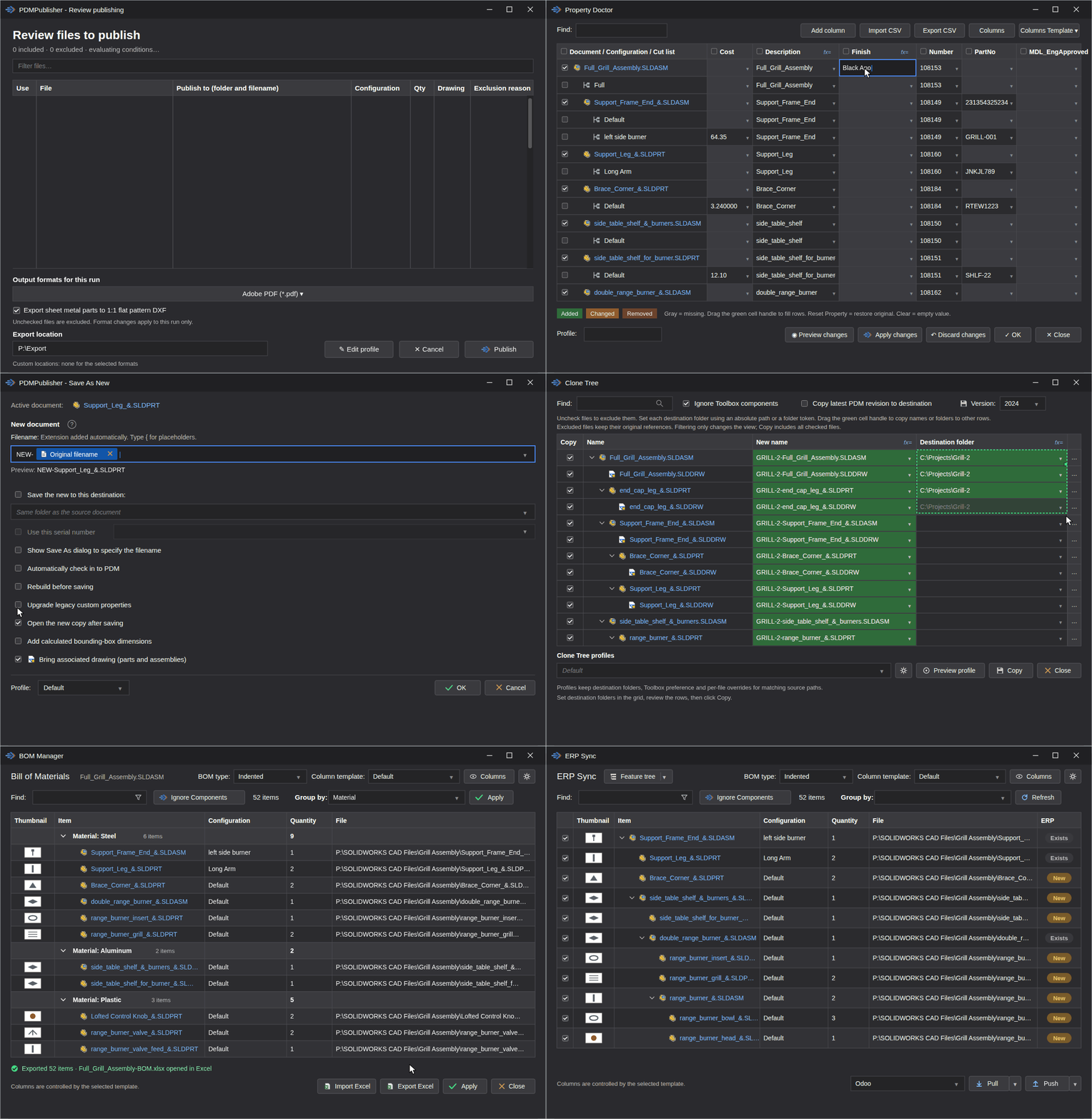
The PDMPublisher tab in the SOLIDWORKS CommandManager.
SOLIDWORKS Certified Solution Partner
Certified by Dassault Systèmes. View the listing →
Two ways to publish
Both editions share the same publishing engine and export settings. The difference is where a job starts: in SOLIDWORKS, or in the vault.
SOLIDWORKS add-in · Free Community Edition
Runs inside SOLIDWORKS from its own CommandManager tab, no PDM installation required. Publish the open document with a saved profile, and use Save As New, Property Doctor, Clone Tree, BOM Manager and ERP Sync from the same tab. The Community Edition is free with per-run limits; Premium removes them.
PDM Task · 7-day free trial
A task you configure once in the SOLIDWORKS PDM Administration tool. Publishing then runs from selected vault files, a workflow transition or a schedule, with datacard values in filenames and on the page, and nobody at the keyboard. Requires SOLIDWORKS PDM Professional 2018 SP0 or later. Licensed per vault.
Not sure which fits? Compare the editions and pricing, or browse every feature.
Shared publishing engine
Everything below works in both the SOLIDWORKS add-in and the PDM Task.
01
PDF, DWG, DXF, STEP, eDrawings, IGES, Parasolid, STL, 3D PDF and more, from parts, assemblies and drawings. It can even create the SOLIDWORKS drawings first, from your template.
02
Build filenames and folders from properties and PDM values, and send each format to its own location.
03
Combine drawing PDFs into a single deliverable with a table of contents and bookmarks.
04
Add text, property values and watermarks to published PDFs, placed where you want them.
05
Condition rules include or exclude assembly references, configurations and drawing sheets before anything is exported.
06
Export sheet-metal flat patterns and split bodies to DXF alongside the rest of the package.
Inside the SOLIDWORKS add-in
The add-in adds a PDMPublisher tab to the SOLIDWORKS CommandManager with tools for copying, properties, BOMs and ERP.

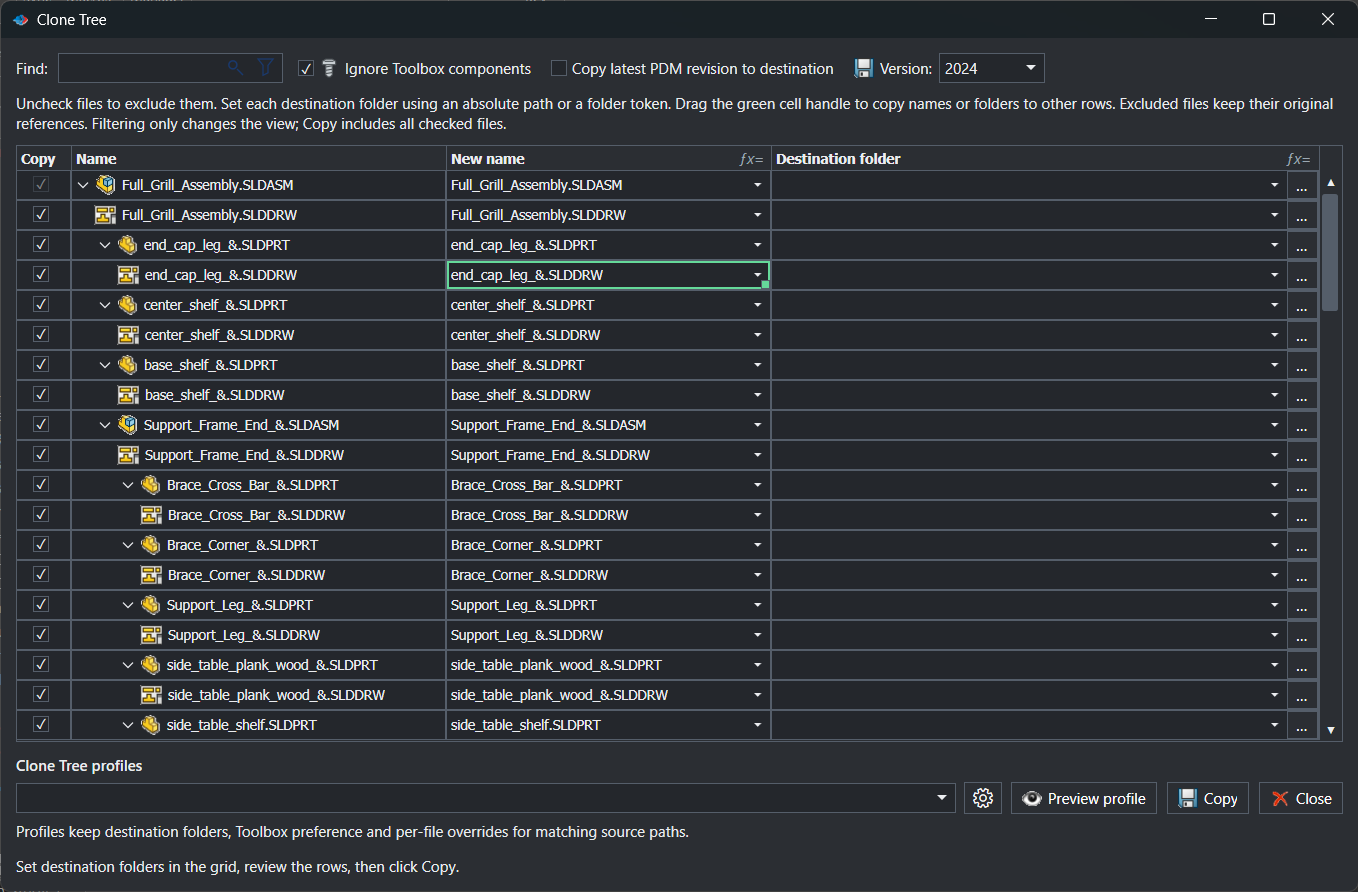
Plan the copy of an assembly and its references with a name and destination for every file. SOLIDWORKS references are updated to the copies, Toolbox parts can stay where they are, and the result can be zipped in one step.
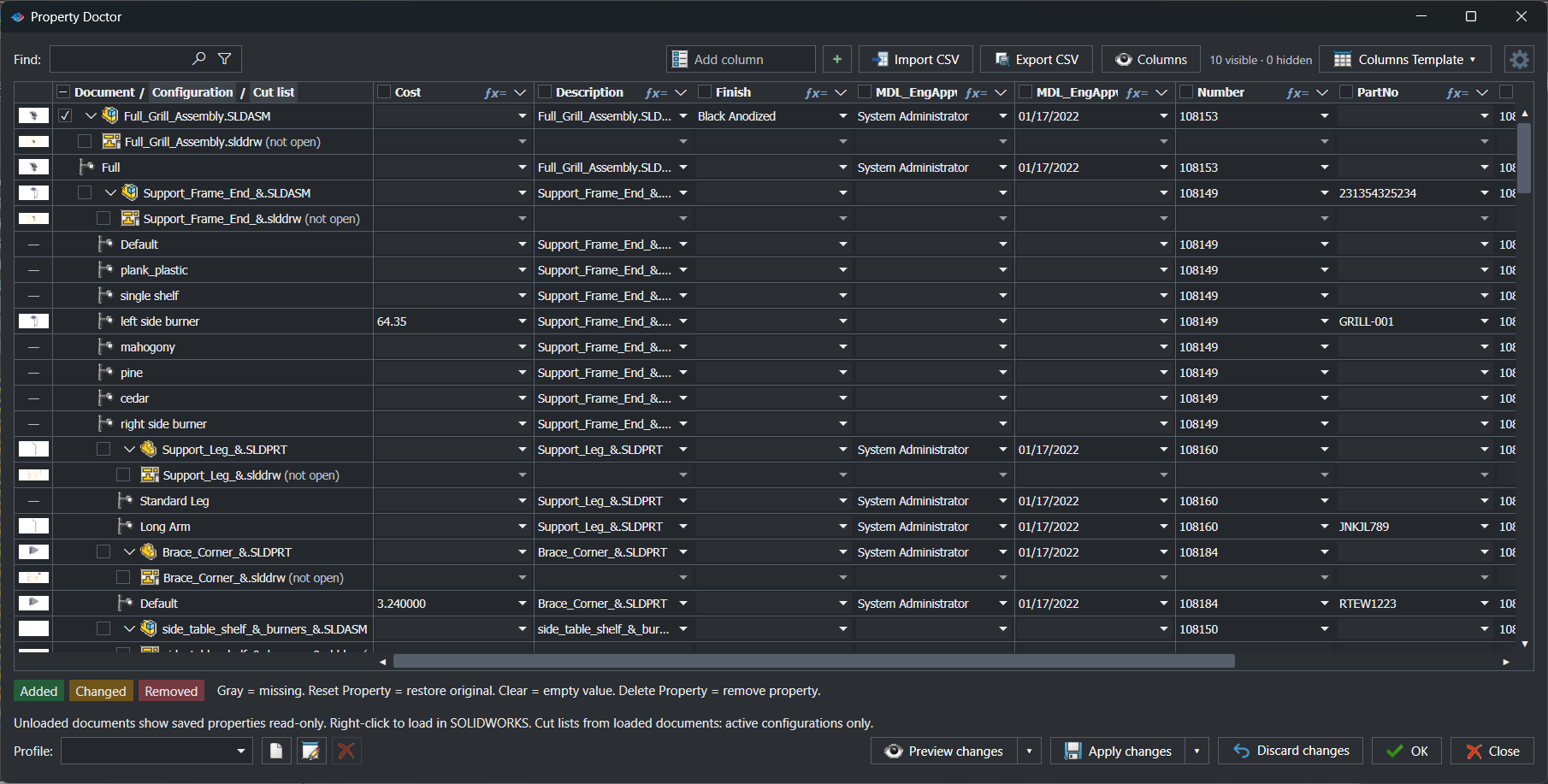
See custom, configuration and cut-list properties for a document and its references in one grid. Find and replace, fill with formulas, import or export CSV, and review every change before you apply it.
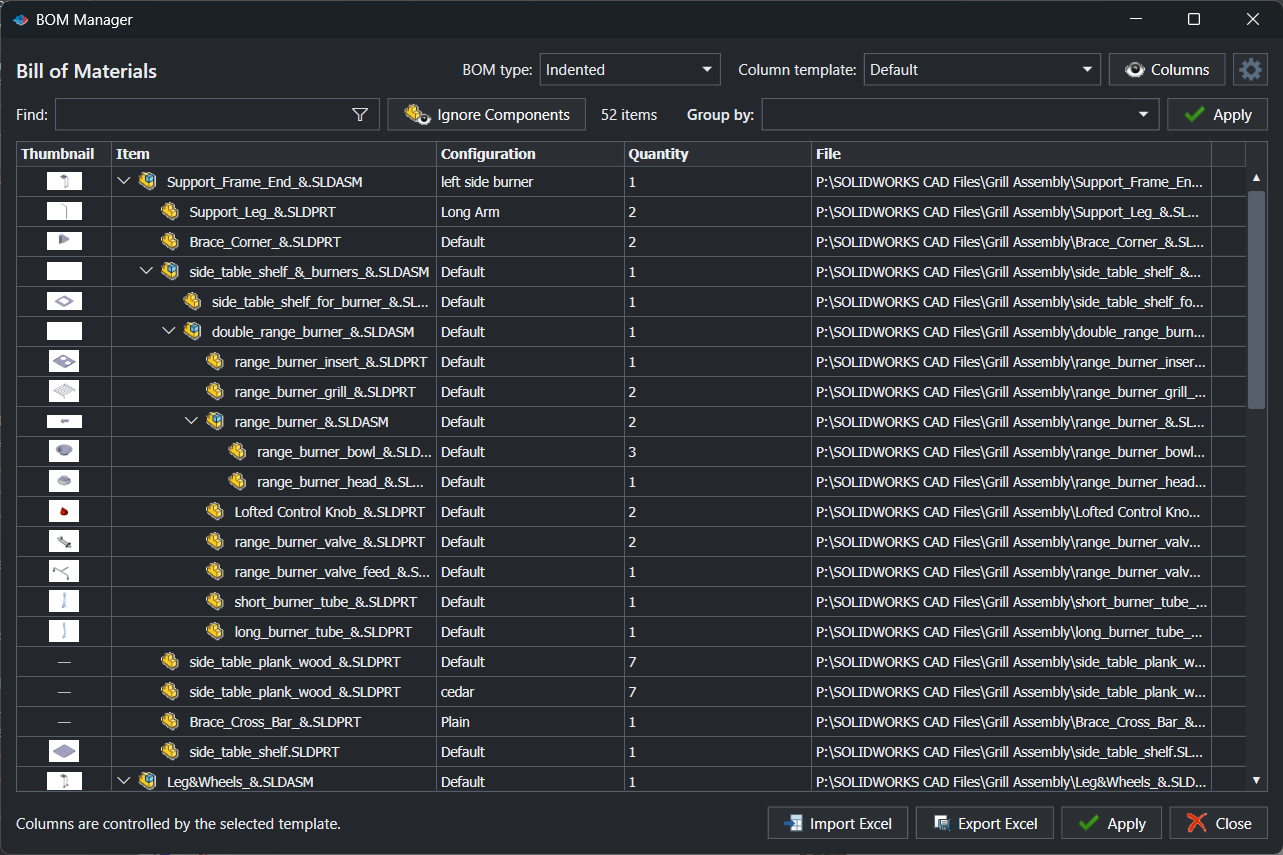
Review the assembly hierarchy with your own columns, group rows, and leave out components by rule without suppressing them in the model. Export to Excel when it's right.
Create a separate native copy with controlled naming and destination, relink its drawing, and check it into the vault. Learn more
Edit and run VBA examples that drive Save As New, Property Doctor, Clone Tree and ERP Sync. Learn more
ERP Sync
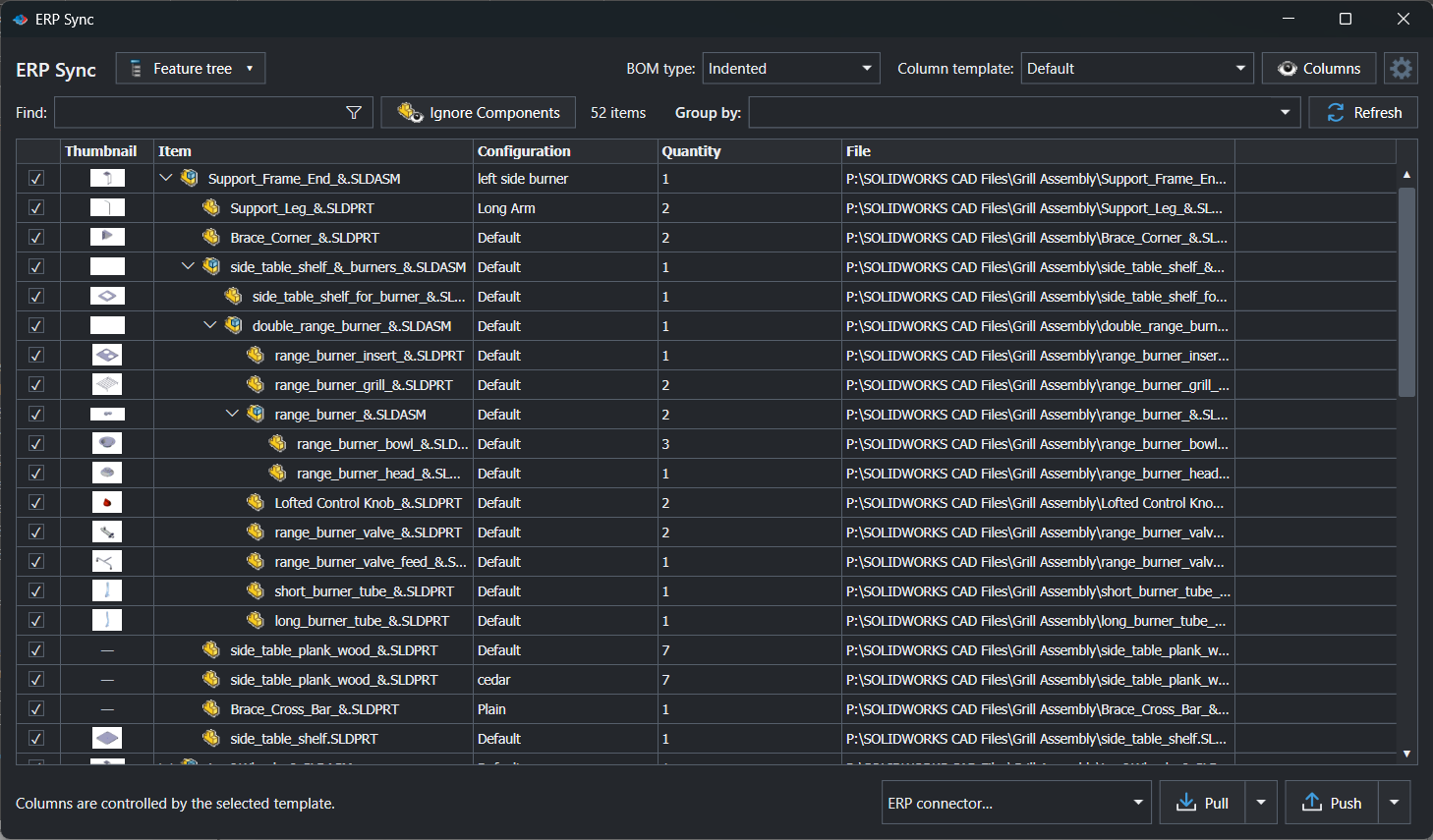
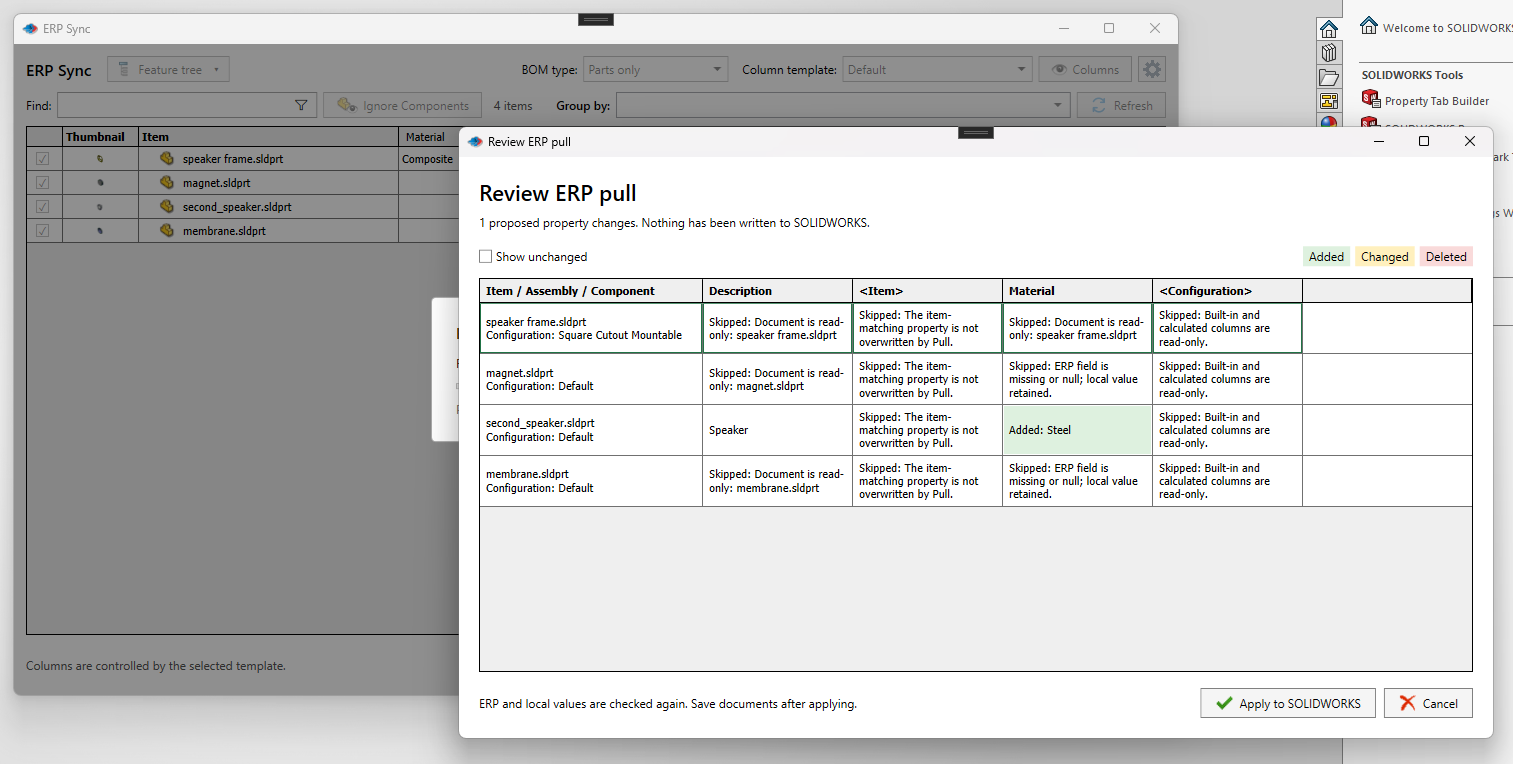
Push checked items, mapped properties, ERP-created part numbers and multi-level BOM relationships from the SOLIDWORKS feature tree, a BOM table or a CSV file. Pull ERP properties back into SOLIDWORKS only after you've reviewed the diff.
Odoo
ERPNext
Business Central
Your own C# connector
Inside the PDM Task
Configure the task once in the SOLIDWORKS PDM Administration tool. From then on, the vault does the publishing.
Attach the task to a workflow transition so a release publishes itself. Run it on selected files from File Explorer. Or point it at Scheduled Items and let PDM run it on a timer with no files selected at all.
Name files and folders from PDM variables. Put datacard values, BOM quantities and revision data on the exported PDFs. Merge the drawings of an assembly into one package with a table of contents built from a BOM template or the drawing itself.
Ask the user to pick files or a configuration when the task starts.
Word and Excel files in the vault convert to PDF alongside the drawings.
Copy variables from the source file to the published file, and add a PDM reference between them.
Keep server-synced logs of every run in a vault folder for audits and troubleshooting.
Built for teams
Everything an administrator needs to keep a whole department publishing the same way.
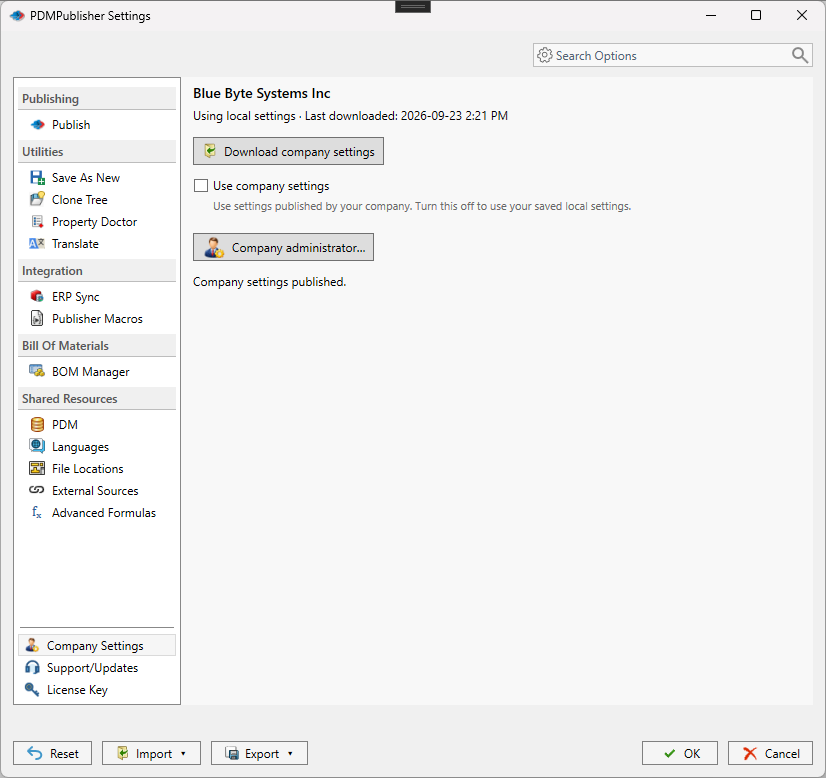
One searchable Settings dialog covers publishing, utilities, integrations and shared resources.
An administrator publishes the approved configuration; every workstation picks it up, with revision conflicts flagged.
Hand a colleague a six-digit, expiring PIN and they load your profile in seconds.
Move the complete configuration between computers through a file or PIN. SQL credentials stay out on purpose.
Define reusable SQL Server connections and queries, then use the results in filenames, properties and annotations.
Name expressions once and reuse them for filenames, folders and property values across every profile.
Pick the interface language, filter logs down to errors, and follow the Windows light or dark theme.
Customer case study
A Pacific Northwest equipment manufacturer processed 50,000 PDFs and merged 3,050 manufacturing packages across 2023–2024, finding, checking, merging and adding quantities by hand. After moving that work to the PDMPublisher PDM Task, each package takes under three minutes.
Request the full case studyStep
By hand
With PDMPublisher
Time per package
19–35 min
Under 3 min
Time per year
1,150 hours
250 hours
Cost per year
$57,500
$3,000
Keep exploring
Publishing
Export configurations, bodies and flat patterns from SLDPRT files.
Read more →
Publishing
Sheets to PDF, DWG and DXF with sheet filters and naming patterns.
Read more →
Publishing
One release package with a table of contents and bookmarks.
Read more →
PDM Professional
How the task executes on a task host and where its settings live.
Read more →
PDM Professional
Variables, workflow states and versions the task reads and writes.
Read more →
Guide
Convert every configuration of a part to STEP in one run.
Read more →
Guide
Every sheet, watermarked and named by revision.
Read more →
Blog
Installation notes, trial licences and PDM administration tips.
Read more →
Install the add-in in a few minutes, trial the PDM Task in your own vault, or let us walk you through it.