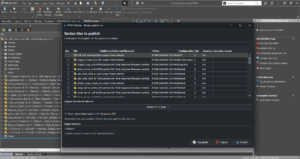
SOLIDWORKS PDM batch print and plot drawings automatically
SOLIDWORKS PDM batch plot options compared: the built-in Print task, Task Scheduler, batch PDF instead of paper, and PDMPublisher merged PDFs on release.

Articles
Everything published under this topic, newest first. Release notes, how-tos, guides and comparisons on SOLIDWORKS, PDM Professional and publishing automation.
SOLIDWORKS PDM batch plot options compared: the built-in Print task, Task Scheduler, batch PDF instead of paper, and PDMPublisher merged PDFs on release.
PDMPublisher vs SOLIDWORKS Task Scheduler: where PDMPublisher wins on naming, configurations, merged PDFs and PDM automation, and where Task Scheduler leads.
PDMPublisher vs the SOLIDWORKS PDM Convert task: where PDMPublisher wins on formats, paths, merged PDFs and watermarks, and where the built-in task still leads.
PDMPublisher vs ATR CUSTOMTOOLS: where PDMPublisher wins on formats, watermarks, merged PDFs, conditions and PDM automation, and where CUSTOMTOOLS still leads.
PDMPublisher vs CAD+ Batch+ by Xarial: where PDMPublisher wins on formats, annotations, merged PDFs and PDM automation, and where Batch+ still leads on macros.
Five ways to batch export SOLIDWORKS drawings to PDF: Task Scheduler, a VBA macro, eDrawings, the PDM Convert task, add-ins and PDMPublisher. Steps and limits.
A free SOLIDWORKS batch export tool: PDMPublisher Community Edition publishes PDF, DXF and STEP from the open document and its references. Limits and setup.
Batch+ alternatives for SOLIDWORKS batch export compared: PDMPublisher, CUSTOMTOOLS, CAD Booster Drew, CADshift, Task Scheduler, the PDM Convert task and a macro.
Batch convert SOLIDWORKS parts and assemblies to STEP with Task Scheduler, a macro, the PDM Convert task, add-ins or PDMPublisher, one file per configuration.
Keep reading
Twenty in-depth articles covering every capability, with settings tables, placeholders and setup steps.
Open →
The reference for the SOLIDWORKS add-in and the PDM Professional task, kept in step with every release.
Open →
Short walkthroughs of the commands and the task, recorded inside SOLIDWORKS and PDM.
Watch ↗
Keep exploring
Product
Publish, Save As New, Property Doctor, Clone Tree and BOM Manager, inside SOLIDWORKS.
Read more →
Product
Publish automatically on workflow transitions, right-click commands or a schedule.
Read more →
Hub
34 step-by-step guides: SLDPRT, SLDASM and SLDDRW to STEP, PDF, DXF and more.
Read more →
Pricing
Community vs Premium, per-seat licences and what each edition unlocks.
Read more →
Contact
Licensing questions, a technical consultation or a partnership enquiry.
Read more →
Docs
Every command, option and placeholder for the add-in and the task.
Read more →
Guide
Convert every configuration of a part to STEP in one run.
Read more →
PDM Professional
How the task executes on a task host and where its settings live.
Read more →