
PDMPublisher Changes Log
This page tracks all changes, fixes, improvements, and new features introduced in PDMPublisher, the SOLIDWORKS PDM Professional task add-in, and PDMPublisher for SOLIDWORKS, the SOLIDWORKS add-in.
The SOLIDWORKS add-in and PDM task use independent release sequences. A version's final component is a build number and may not be a calendar day. Entries describe published releases unless explicitly marked as unreleased.
Tip
If you are using PDMPublisher (task), we highly recommend you use PDMDeploy to update PDMPublisher. Please see here.
Current Versions
| Product | Current version |
|---|---|
| PDMPublisher for SOLIDWORKS | 2026.10.49.0 |
| PDMPublisher PDM Task | 20261025 |
The SOLIDWORKS add-in and PDM task are released independently, so their current version numbers may differ.
Latest task source changes (not yet included in the published CEX)
- Added Export referenced models from drawings, off by default, with explanatory text beneath the checkbox. Selected 3D formats and enabled part flat-pattern exports use the drawing's referenced configurations and folder rules.
- Released-reference matching now uses the current parent's historical children, including omitted references. Missing extensions resolve only when the child can be identified uniquely; ambiguous errors list the candidates.
2026.10.25 — PDM Task
- Applying font styles to an annotation preserves newly entered text and SQL filename placeholders. SQL query and connection settings survive saving and reopening.
2026.10.24 — PDM Task
- Cache failures for referenced files are reported as Omitted and suppressed in temporary publishing copies. Main selected inputs still must cache successfully.
- Removed omitted files from exports and recalculated retained BOM quantities; shared dependencies remain available through retained branches.
- HRESULT errors use the vault's readable error message. Error locations show only a source filename and line number, without full stack traces.
- Log filenames use affected document names and the task GUID, with invalid characters removed. Each run clears the prior log text.
- PDM add-in version:
20261024; assembly version:2026.10.24.0.
2026.10.23
Applies to the PDM Task — includes changes from task builds 2026.10.19–2026.10.23.
- Added task input extension filters, with Part, Assembly, and Drawing checkboxes and an additional-extension dialog. An empty selection allows all file types.
- Cancel interactive launches before queueing when no selected files match. Fixed launch cancellation being overwritten.
- Released-only publishing now identifies cut-list items and virtual components by PDM reference type and skips their independent release checks and caching.
- Reference failures identify the child reference, paths, IDs, type, and the parent's selected Released version instead of incorrectly implying that the parent is unreleased.
- PDM add-in version:
20261023; assembly version:2026.10.23.0.
2026.10.49
Applies to the SOLIDWORKS Add-in
- ERP Sync Push and Pull previews match the source grid's proportions and hierarchy. Comparisons run SOLIDWORKS → ERP for Push and ERP → SOLIDWORKS for Pull, with system icons.
- Mapped ERP fields appear in headers. Unmapped columns explain that they will not sync. Invalid mapped values use red cells with (i) correction details.
- Pull defaults to both document custom and configuration-specific properties. Destination details explain changes even when the displayed values match.
- BOM changes highlight assembly rows. The Sync BOM > submenu selects the supported BOM type and stays open after selection.
- Formula chips survive evaluation and editing changes. File-property pickers include properties hidden from the grid.
- Connector settings open from the adjacent Edit button. Updates to loaded connector DLLs are staged for the next SOLIDWORKS session.
- Trial product names are recognized for the SOLIDWORKS edition.
- Updated the Odoo connector.
2026.10.18
Applies to the PDM Task
- Updated the PDM add-in and maintenance entitlement version to
20261018. The corresponding assembly version is2026.10.18.0. - Added activation support for the PDMPublisher (Trial) product name while keeping PDM Task and SOLIDWORKS add-in licenses separate.
- Sorted output formats alphabetically in task setup and task-launch format selection.
2026.09.33
Applies to the PDM Task
- Rebuilt the Task Details Log tab as a structured report of saved outputs and failures. It shows totals, timestamps, destination files, PDM versions, source files, and the selected row's details. Existing task logs remain supported.
- Added Cut-list item grouping to Split Bodies. Administrators can continue exporting every body or export one representative body for matching geometry and material in each cut-list item. Grouped filenames include the quantity per part; bodies that cannot be verified are exported separately.
- Fixed task-launch output-format selections and evaluated paths being replaced when publishing started.
- Improved resizing of the Publish and Integrations pages inside SOLIDWORKS PDM Administration.
- Fixed keyboard input in embedded Publish fields and inline annotation editing.
- Made the PDM Task deployment self-contained. Manual deployments must use the complete package, including
PDMPublisher.Merge.exe,PDMPublisher.TOC.exe, their configuration files, and all packaged dependency DLLs.
2026.10.23
Applies to the SOLIDWORKS Add-in
- After an update is installed and SOLIDWORKS is restarted, the updater now shows a 20-second countdown on the Close button and closes automatically when the countdown finishes. The button can still be selected to close the updater immediately.
- Fixed Upgrade legacy custom properties in Property Doctor, Save As New, and Clone Tree. Each document is now upgraded once on its own; referenced documents included in the operation are handled separately instead of being upgraded recursively.
2026.10.20
Applies to the SOLIDWORKS Add-in
- Property Doctor now asks whether to refresh after successfully applying property edits, deletions, or profile actions. Refresh updates the current grid without reopening the window and preserves unsaved SOLIDWORKS changes.
- Refresh reads only affected documents, once per document. Unchanged documents and drawings are skipped.
- Refresh progress identifies the current document and overall completion. It can be cancelled between documents without undoing changes that were already applied.
- After Apply succeeds, a property column is removed when that property no longer exists in any document, configuration, or cut-list row. A property with an empty value still counts as existing.
- The refresh prompt is not shown when Apply has no changes, Apply fails, a profile runs silently, or the window is closed with OK.
2026.10.13–2026.10.19
Applies to the SOLIDWORKS Add-in
- Maintenance releases containing bug fixes and stability improvements.
2026.10.12
Applies to the SOLIDWORKS Add-in
- Added Clone Tree right-click actions: Check All, Uncheck All, Check Selected, and Uncheck Selected. Required root documents remain checked.
- Added safe overwriting for existing destination files and ZIP archives. Clone Tree temporarily backs up existing outputs and restores them if copying fails.
- Continued to protect source documents from overwriting. Duplicate destinations, open destination documents, and read-only destinations produce errors.
- Updated Copy All, Copy Above, Copy Below, and drag-to-fill to include the ZIP archive row. Values can also be copied from the ZIP row.
- Updated copy and fill operations to follow the displayed row order and current filtering.
- Each Copy attempt now prepares a fresh SOLIDWORKS Pack and Go object, addressing failures when copying again without reopening Clone Tree. Grid settings are retained.
- Updated Clone Tree help text to explain destination overwriting.
2026.10.11
Applies to the SOLIDWORKS Add-in
- Fixed the Drawing background selector in the annotation settings so its menu opens reliably, preserves its separators, and uses the correct colors in light and dark themes.
2026.10.10
Applies to the SOLIDWORKS Add-in and shared licensing components
- Improved publishing performance and stability by reading each document's evaluated properties once per run and reusing them for its configurations and outputs.
- Drawings opened only to evaluate publishing properties now load in the background and are closed safely when the publishing run finishes.
- Added Use Selected and Discard Selected commands to the publishing review grid. Use All and Discard All now apply to the complete review list even when a search filter is active.
- Added Clone Tree commands to copy a cell's value or formula to every editable cell in the same column, or only to the cells above or below it.
- Standardized license expiry storage and comparison in UTC while continuing to display expiry dates in the user's local time.
2026.10.09
Applies to the SOLIDWORKS Add-in and the PDM Task installer
- Added an optional Integrations task page that can run a configured ERP connector after a successful PDM Task publish job.
- Rebuilt the PDM Task Options interface with a pop-out editor, clearer file-format selection, setting counts, and direct access to Annotations, Conditions, and Scheduled Items.
- Rebuilt the PDM Task annotation editor with direct placement, resizing, inline text editing, formatting, sheet selection, and light/dark theme support.
- Added separate flat-pattern DXF export for each sheet-metal body to the PDM Task.
- Improved the task-launch file and output-format selection dialog.
- Improved PDM Task license activation diagnostics and tied task licensing to the vault name.
- Fixed ERP connector catalog downloads by accepting the trusted legacy
pdmpublisher.comupload URL through HTTPS and reporting clearer catalog errors.
2026.10.08.0
Applies to SOLIDWORKS Add-in
- Updated flat-pattern export configuration activation to avoid switching when the requested configuration is already active and to verify the active configuration after a switch. This addresses the Could not activate configuration Default failure.
- Changed the horizontal and vertical gridlines in Publishing results to light gray for a softer appearance.
- Updated the DXF guidance to: “DXF is selected. This only converts drawings to DXF. To export flat patterns, enable the sheet metal flat pattern option below.”
- Released digitally signed installer version
26.10.08.
2026.10.07
Applies to SOLIDWORKS Add-in
- Redesigned the publishing review dialog to show evaluated destinations, run-specific formats, the export location, included and excluded counts, and the final selection before publishing.
- Added a new Publishing results dialog with a hierarchical file/configuration/output view, search and result filters, a detailed log, output details, and commands to open a file or folder and copy its path.
- Implemented separate flat-pattern DXF export for multi-body sheet-metal parts. Enable Export each sheet-metal body to a separate DXF in Sheet metal settings.
- Enhanced Configuration filter with searchable configuration pickers populated from all open SOLIDWORKS documents, document/configuration grouping, and bulk Add all shown and Remove all shown actions.
- Updated the Publish settings and Sheet metal settings interfaces.
2026.10.06
Applies to SOLIDWORKS Add-in
- Added a Publish to (folder and filename) column to the publishing review dialog, showing evaluated output paths for each selected format.
- Output previews update when formats change and respect per-format export locations.
- Enabled resizing of review-grid columns and reduced minimum widths.
- Fixed dark-mode colors for the review grid, column headers, selection, and output-format selector.
- Fixed the output-format dropdown closing unexpectedly while selecting formats.
- Publish now reads evaluated custom-property values from live SOLIDWORKS documents, including unsaved changes, instead of Document Manager.
- Fixed linked properties such as Mass appearing as raw
SW-Mass@...expressions in output filenames. - Added fallback to file-level custom properties when a configuration does not define the requested property.
- Property Doctor now opens with Show evaluated values enabled for all columns.
2026.10.05
Applies to SOLIDWORKS Add-in
- Added small user-interface fixes for dark mode.
2026.10.04.0
Applies to SOLIDWORKS Add-in
- Installer version:
26.10.04. - Refined the BOM Manager Excel export layout by placing Browse... beside the Workbook template field.
- Renamed the Excel export thumbnail option to Include thumbnail.
2026.10.03
Applies to SOLIDWORKS Add-in
- Added Company Settings, allowing an administrator to publish selected configuration groups to licensed users with the same company name.
- Added Off, Let users choose, and Required policies, protected administrator editing, cached downloads, revision-conflict protection, and an explicit option to overwrite a newer company revision.
2026.10.02
Applies to SOLIDWORKS Add-in
- Added the official Microsoft Dynamics 365 Business Central connector for reviewed item creation, mapped-property updates, and mapped-property Pull. BOM synchronization is not available because the standard Business Central API v2.0 does not expose assembly or production BOM definitions.
- Fixed Property Doctor column deletion so multiple selected property columns can be marked for deletion or restored together. Using the command on an unselected column still affects only that column.
2026.10.01
Applies to SOLIDWORKS Add-in
- Fixed an issue where deleting a custom property in Property Doctor did not mark the SOLIDWORKS document as modified. The deletion is now retained when the document is saved.
2026.09.31
Applies to SOLIDWORKS Add-in
- Added the official Odoo connector for Odoo 19+ JSON-2 product, property, attachment, manufacturing BOM, and reviewed Pull synchronization.
- Added ERP Pull with a required review diff before mapped ERP properties are applied to SOLIDWORKS.
- Added Pull snapshot revalidation, explicit skip reasons, unchanged-value display, and guarded handling for read-only, built-in, calculated, identity, missing, and null values.
- Added
IErpPullPreviewandErpCapabilities.PullPreviewfor custom connector implementations. - Expanded the custom connector guide into a step-by-step tutorial with project setup, typed settings, capability selection, a complete Push/Pull learning connector, packaging, testing, production checks, and troubleshooting.
- Added Mark property for deletion (visible rows) to the Property Doctor column right-click menu.
- Included small reliability and usability fixes.
2026.09.30
Applies to SOLIDWORKS Add-in
- Added Publisher Macros, including an editable VBA example with syntax highlighting and direct execution through SOLIDWORKS.
- Added VBA automation calls for saved Save As New, Property Doctor, and Clone Tree profiles, plus ERP Sync sources and Push operations.
- Added interactive and silent execution, retained macro code, VBA error reporting, and supporting usability fixes.
2026.09.28
Applies to SOLIDWORKS Add-in
- Added an ERP Sync source selector for the active SOLIDWORKS feature tree, SOLIDWORKS BOM tables, and UTF-8 CSV files.
- SOLIDWORKS BOM table sources use visible rows, columns, displayed quantities, and the table's selected configuration. Valid indented tables can also supply BOM hierarchy.
- CSV sources expose every column to the connector and can supply BOM hierarchy through recognized item-code and parent columns.
2026.09.27
Applies to SOLIDWORKS Add-in
- Fixed ERP Sync reporting so every checked Item receives a clear Success, No sync needed, or Failure result.
- Successful connectors that do not return individual Item outcomes now report the affected rows as Success with an explanatory fallback message instead of Not reported.
- Added status-based row colors, clearer failure details, status searching, and a cleaner report grid.
2026.09.26
Applies to SOLIDWORKS Add-in
- Enabled ERP Sync for synchronizing selected SOLIDWORKS items, mapped properties, ERP-generated part numbers, and checked BOM relationships through an installed ERP connector.
- Added the ERP Sync review window with row selection, BOM display types, column templates, grouping, filtering, ignored-component rules, cut-list inclusion, and selectable Push operations.
- Added the official connector catalog and custom connector loading through ERP connector settings.
- Added the
PDMPublisher.ERPExtension.dllcontract and typedErpConnector<TSettings>API for building custom C# ERP connectors on .NET Framework 4.7.2. - Added ERPNext connector configuration, connection testing, item and property synchronization, and BOM synchronization. Pull remains visible but disabled in this release.
2026.09.25
Applies to SOLIDWORKS Add-in
- Reorganized PDMPublisher around the SOLIDWORKS CommandManager and Tools > PDMPublisher menu. The task pane now displays the online help instead of hosting publishing controls. See PDMPublisher Commands and Help Task Pane.
- Added the current utility workflows: Save As New, Property Doctor, Clone Tree, and BOM Manager.
- Added a unified, searchable Settings dialog with command-specific profiles, shared resources, and complete configuration transfer by file or six-digit PIN. See Import, Export, and Reset Settings.
- Expanded publishing templates and property evaluation with PDM values, date and time values, serial numbers, saved formulas, and external SQL sources.
- Added contextual condition help, wildcard property-name selection, and material assignment from a property in Property Doctor.
- Added interface localization and localized installers. See Languages.
- Added optional installation and license statistics with an immediate per-user opt-out. See About, Updates, and License.
2026.09.08
Applies to PDM Task
- Added Get latest revision only. The task can publish the newest recorded PDM revision and the references saved with that revision instead of newer unrevised versions.
- Changed output-copy error handling. If one or more generated files cannot be copied to their destination, the task is now marked as failed instead of completed successfully.
- Added clearer copy-failure log messages with the temporary source path, destination path, and available error details.
2026.08.12
Applies to PDM Task
- Fixed the SOLIDWORKS export preferences used when the task creates eDrawings Part (
.eprt), eDrawings Assembly (.easm), and eDrawings Drawing (.edrw) files. - The task now explicitly allows measurement and saves file properties and per-component file properties in supported eDrawings outputs instead of depending on the preferences previously stored on the task host.
- No PDMPublisher for SOLIDWORKS add-in behavior changed in this release. See eDrawings Export Settings.
2026.08.11
Applies to SOLIDWORKS Add-in
- Registered PDMPublisher for SOLIDWORKS as a SOLIDWORKS Partner Solution add-in. It now appears under Partner Solution Add-Ins in the SOLIDWORKS Add-Ins dialog. No other product functionality changed in this version.
2026.08.10
Applies to SOLIDWORKS Add-in
- Added profile sharing by six-digit PIN. A user can share selected Options, Annotations, and Conditions sections, and the PIN remains available for 30 days.
- Added Load using PIN... to download a shared profile, select which included sections to apply, save the result locally, and make it the active profile. Existing settings in sections that are not selected remain unchanged.
- Added profile-name conflict handling so a downloaded profile can replace the local profile, be saved under another name, or be cancelled. See Share Profiles Using a PIN.
2026.08.09
Applies to PDM Task and SOLIDWORKS Add-in
PDM Task:
- Added Use drawing-derived BOM. The task can use the first named BOM saved on an assembly's associated drawing to determine references, configurations, and quantities. If the drawing or a usable derived BOM is unavailable, PDMPublisher falls back to the configured calculated BOM. See Use Drawing-Derived BOM.
PDM Task and SOLIDWORKS Add-in:
- Changed drawing sheet matching so a multi-sheet drawing with no sheets matching the evaluated pattern exports all sheets instead of producing no sheet output.
- One-sheet drawings continue to export their only sheet without evaluating the sheet-name pattern. See Sheet Name Pattern.
2026.08.08
Applies to PDM Task and SOLIDWORKS Add-in
SOLIDWORKS Add-in:
- Added reusable profiles with controls to create, rename, save, export, load, and delete publishing configurations.
- Added starter profile templates for DXF, PDF and STEP, and STEP workflows.
- Added collapsible task-pane navigation to provide more room for settings.
- Added optional Windows light/dark theme support. Theme changes apply after SOLIDWORKS restarts.
- Added drawing sheet selection with sheet-name pattern and
(ConfigurationName)matching. - Updated the multi-format selector with descriptive names and file-type icons.
- Updated the Options, Annotations, Conditions, and About interfaces. See PDMPublisher for SOLIDWORKS.
PDM Task:
- Added File Number placeholders that return the first 3, 4, 5, or 6 digits from the first numeric sequence in a filename.
- Added File Number Range placeholders that group those 3-, 4-, 5-, or 6-digit values into numeric ranges.
- Organized the new placeholders into File Number and File Number Range groups in the
>...placeholder menu. See File Number Placeholders.
2026.08.07
Applies to PDM Task
- Added optional Windows light and dark theme synchronization for PDMPublisher task setup pages. Administrators can turn synchronization on or off from Add-ins > PDMPublisher > Theme settings.... See Theme Settings.
- Added the
(FileNameNumberRange)placeholder for organizing numeric filenames into ranges of 1,000. See File Name Number Range. - Updated drawing sheet selection so a drawing with only one sheet exports that sheet without applying the sheet-name matching pattern. Sheet-name matching continues to apply to drawings with two or more sheets.
2026.08.06
Applies to PDM Task
- Fixed a keyboard focus issue on the Conditions page so users can type in the Value and Configuration columns after adding a condition.
- Made the SOLIDWORKS PDM task setup dialog resizable. The PDMPublisher setup pages now expand with the dialog.
2026.08.05
Applies to PDM Task and SOLIDWORKS Add-in
- Added ACIS, 3D XML, VRML, VDAFS, CATIA Graphics, HCG, HOOPS HSF, Microsoft XAML, JPEG, TIF, Adobe Illustrator, and Adobe Photoshop export formats. See File Formats.
- Added descriptive format names and Windows file-type icons to the File Formats selector and extension-specific export locations.
- Added visual icons to the BOM template and SOLIDWORKS version selectors.
2026.08.04
Applies to PDM Task
- Added a drawing sheet mode selector to control which sheets are exported.
- Added a sheet name pattern field for export modes that filter drawing sheets by name.
2026.08.03
Applies to PDM Task
- Improve path normalization, cleanup temp folder.
- Better UNC path handling.
- Add logic to delete temporary folder after successful task run, with error handling and warning message on failure.
2026.08.02
2026.08.01
Applies to PDM Task
- Fixed bug when creating new tasks (Empty .net framework error dialog)
2026.07.27
Applies to PDM Task
- Added (FolderName) for as a condition.
2026.07.18
Applies to PDM Task
- Fixed issue related to PDM failing to add files during check-in (E_EDM_FILE_SHARE_ERROR: HResult 0x8004020B)
- Fixed issue related to creating TOC table when the character '#' is used.
2026.06.21
Applies to PDM Task
- Added an interactive task launch file selection dialog for tasks that ask users to specify files at launch.
- Added CSV import to the task launch dialog. PDMPublisher reads file names or paths from the CSV, searches the vault, and uses the first matching result while skipping duplicates.
- Added automatic assembly reference calculation in the launch dialog.
- Added view-only drawing rows under parts and assemblies. These rows are shown for review but are not passed to the task input list.
- Added launch-time file format selection, export location visibility, and an administration notice that explains task export settings are controlled from the SOLIDWORKS PDM Administration tool. See Scheduled Items Task Page.
2026.06.20
Applies to PDM Task
- Added the Scheduled Items setup page. This page lets administrators choose files that PDMPublisher should process when a scheduled task runs without selected files. See here.
- Added support for exporting Parasolid binary files with the
x_bextension. - Updated Scheduled Items task-run handling and task details log lookup behavior.
2026.05.31
Applies to PDM Task and SOLIDWORKS Add-in
- Hot fix: PDF not printing due to split bodies.
2026.05.30
PDM Task:
- Added a log page in the details tab. See here.
- Added support for splitting multi-body part. See here.
- Limited
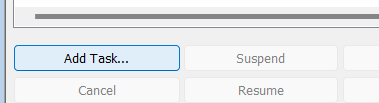
u3dextension to assemblies export only. - Fixed a bug when clicking on Add Task in the administration tool under Task List. The task now asks the user to select which files to process:
SOLIDWORKS Add-in:
- Fixed icon transparency issue in the taskpane and the add-in manager dialog in SOLIDWORKS
- Added support for splitting multi-body part. See here.
- Limited
u3dextension to assemblies export only.
2026.05.01
Applies to PDM Task
- Improved retry count and wait time between retries during file checkin and file add.
2026.04.21
Applies to PDM Task
- Added feature to suppress task commands in the tasks right-click menu in File Explorer. Setting is in options.
2026.04.17
Applies to PDM Task
- Fixed issue related to sheet metal exports (views)
2026.04.12
Applies to PDM Task
- Small bug fixes
2026.04.11
Applies to PDM Task
- Fix bug when export location starts with
//
2026.04.10
Applies to PDM Task
- Added retry when adding files and checking files back into the vault.
2026.04.01
Applies to PDM Task
- Added support for exporting views of sheet metal parts
- Added check-in retry
- Added extra logging to find when exported files are locked by other applications
2026.03.27
Applies to SOLIDWORKS add-in
- Fixed crash related to GDI reaching +9999
- Minor changes in the progress dialog
2026.03.26
Applies to PDM Task
- Add custom quantity multiplier when the user is asked the configuration on startup.
- Added Download Center menu item in the Administration tool under the add-in for when PDMDeploy is blocked. This will take you to the PDMPublisher download center.
2026.03.22
Applies to PDM Task and SOLIDWORKS Add-in
- Merge and TOC bugs fixes.
- Added support for exporting to
bmp
2026.03.16
Applies to PDM Task
- Added support for processing excel and word files to pdf
- Added support for variable mapping between the destination file and the source file
- Added support for creating a custom reference between the destination file and the source file
- Added support for deleting duplicates outside the target destination
- Added support for the following extensions:
ifc,3mf,3dpdf(pdf but for the parts and assemblies) - Minor bug fixes
2026.02.23
Applies to both PDM Task and SOLIDWORKS Add-in
- Fixed bug when exporting flat pattern when
Convert Multiple Configurationsis enabled - Added new option under Flat Pattern Settings to remove or add
-FlatPatternto the dxf flat pattern filename.
2026.02.22
Applies to both PDM Task and SOLIDWORKS Add-in
- Added support for filtering configurations to task enabled via the
Convert Multiple Configurations - Added support for the
3mfextension for parts
2026.02.21
Applies to SOLIDWORKS Add-in
- Fix bug related to drawings not closing when printing to PDF.
2026.02.20
Applies to SOLIDWORKS Add-in
- Added ability to choose which configurations (include and exclude patterns) to process under the
Convert Multiple Configurationsoption
2026.02.19
2026.02.18
Applies to SOLIDWORKS Add-in
- Ghost rebuild
2026.02.17
Applies to SOLIDWORKS Add-in
- Fix BOM calculation issue
2026.02.16
2026.02.15
2026.02.14
2026.02.13
Applies to SOLIDWORKS Add-in
- Ghost rebuild
2026.02.13
Applies to SOLIDWORKS Add-in
- Fix: If taskpane fails, add-in will attempt to self re-register. You must be running SW as admin for this work.
2026-02-12
Applies to SOLIDWORKS Add-in
- Improved references dialog load speed
2026-02-11
Applies to SOLIDWORKS Add-in
- Fixed bug: Incomplete references dialog data when top level assembly is opened in lightweight.
- Decreased time it takes to build the reference tree in the progress dialog
- Minor UI changes in the about page (Renamed buttons captions and added support email address)
2026-02-10
- Ghost build
2026-02-09
Applies to both PDM Task and SOLIDWORKS Add-in
- Started used seperator | instead of # (Caused issues with filenames containing #)
- Updated FAQ about merging PDFs error.
- Added
ConfigurationNamealias to conditions.
2026-01-17
Applies to both PDM Task and SOLIDWORKS Add-in
- Fixed outside diameter of countersink holes when exporting DXF flat patterns bug.
2026-01-16
Applies to SOLIDWORKS Add-in
- Fixed assembly conflict bug
2026-01-15
Applies to both PDM Task and SOLIDWORKS Add-in
- Added a new Flat Pattern export setting that removes the outside diameter of countersink holes when exporting DXF flat patterns: This helps produce cleaner DXFs for downstream manufacturing by excluding countersink outer geometry while preserving required cut profiles.