
About, Updates, and License
Use the Updates and Settings CommandManager groups for installed-version information, update checks, licensing, product links, legal information, and support.
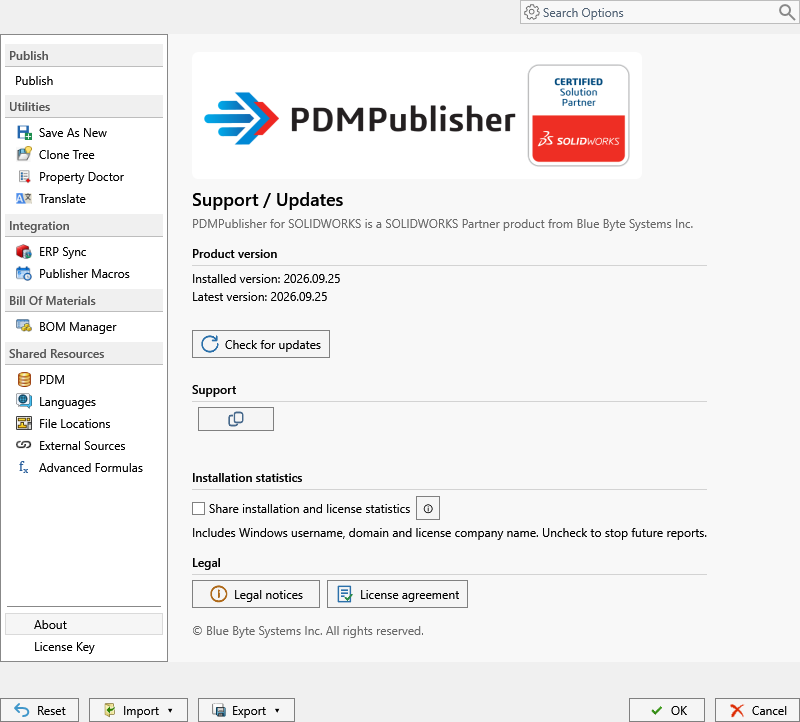
| Page | Purpose |
|---|---|
| Version and Updates | Check the installed version and download an available update. |
| License Management | Activate or deactivate PDMPublisher for SOLIDWORKS. |
| End User License Agreement | Review the product license terms. |
Installation Statistics
The Share installation and license statistics setting controls an optional installation report. When enabled, PDMPublisher sends at most one report per day while SOLIDWORKS is running.
The report includes a random installation ID, installation folder, PDMPublisher and SOLIDWORKS versions, installed PDM versions, Windows edition/build/architecture, Windows username and domain, license company, license tier, and license expiry date when available. The website uses the connection IP address to estimate an approximate country, province or state, and city. It does not collect license keys, passwords, email addresses, CAD document contents, or document filenames.
Clear the checkbox to stop future reports. The preference is saved immediately for the current Windows user and is not included in shared settings. A report that was already delivered cannot be recalled.
For support, contact support@bluebytesystemsinc.zohodesk.com.