
BOM Manager
Open PDMPublisher > BOM Manager to review and work with the bill of materials for the active assembly.
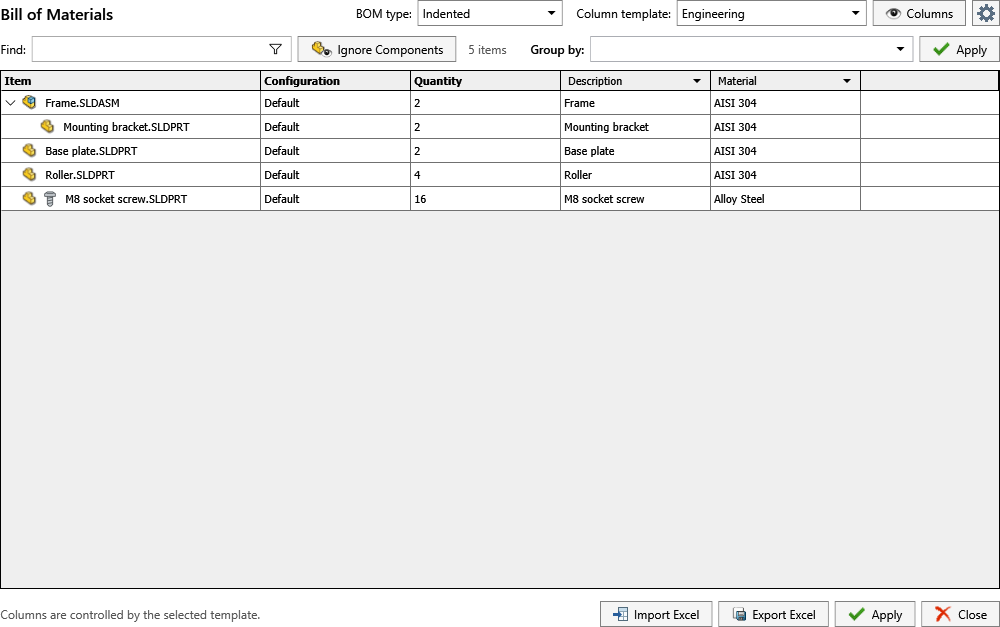
The main window provides the BOM type and column-template selectors, property columns, find and filtering controls, grouping, component exclusions, Excel import and export, and Apply. Select the gear button to open the persistent BOM Manager settings described below.
Open PDMPublisher > Settings > BOM Manager under Bill Of Materials.
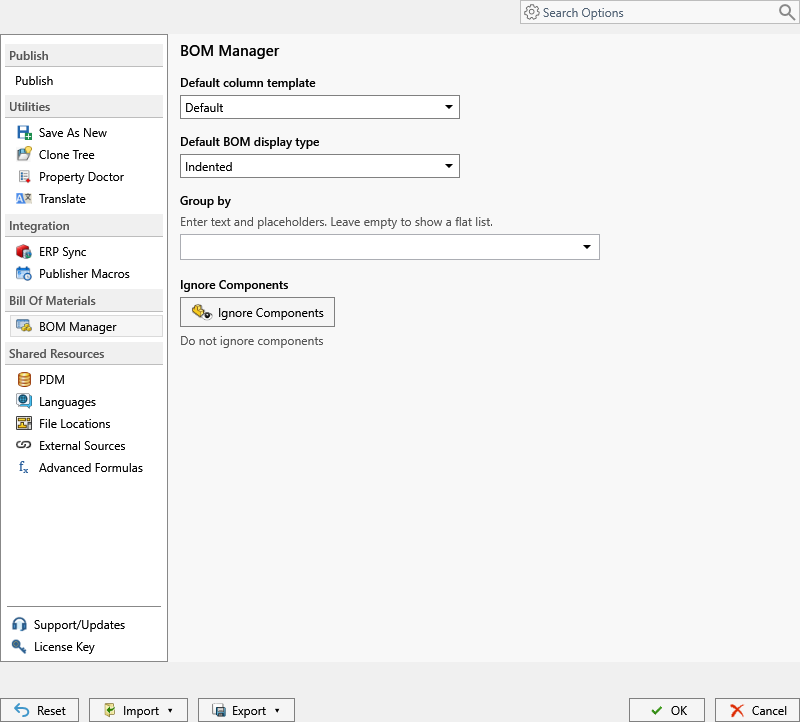
BOM Manager defines the default structure used when PDMPublisher produces or displays bill-of-material information.
| Setting | What it controls |
|---|---|
| Default column template | Selects the saved set and order of BOM columns. |
| Default BOM display type | Selects the SOLIDWORKS BOM structure, such as an indented hierarchy. |
| Group by | Groups rows by text, properties, or placeholders. Leave it empty for a flat ungrouped result. |
| Ignore Components | Opens the condition editor used to omit matching components from the BOM. |
Configure the defaults
- Select a Default column template.
- Select the Default BOM display type appropriate for the assembly structure.
- If rows should be grouped, enter a Group by expression and use its placeholder menu to insert document values.
- Select Ignore Components to define exclusions. Choose whether any condition or all conditions must match, then add the required property rules.
- Select OK to save the settings.
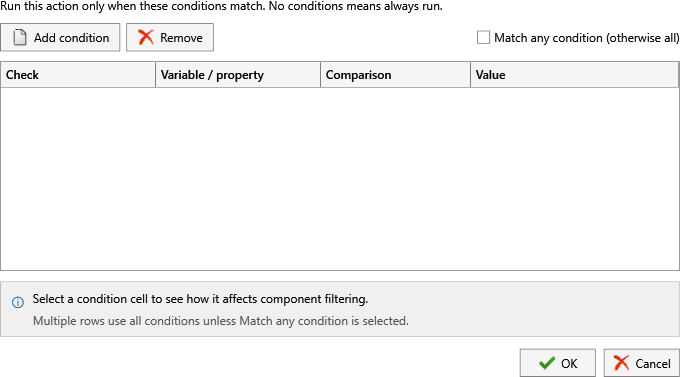
Exclusion conditions affect BOM membership; they do not suppress or delete components in the SOLIDWORKS assembly.