
Clone Tree
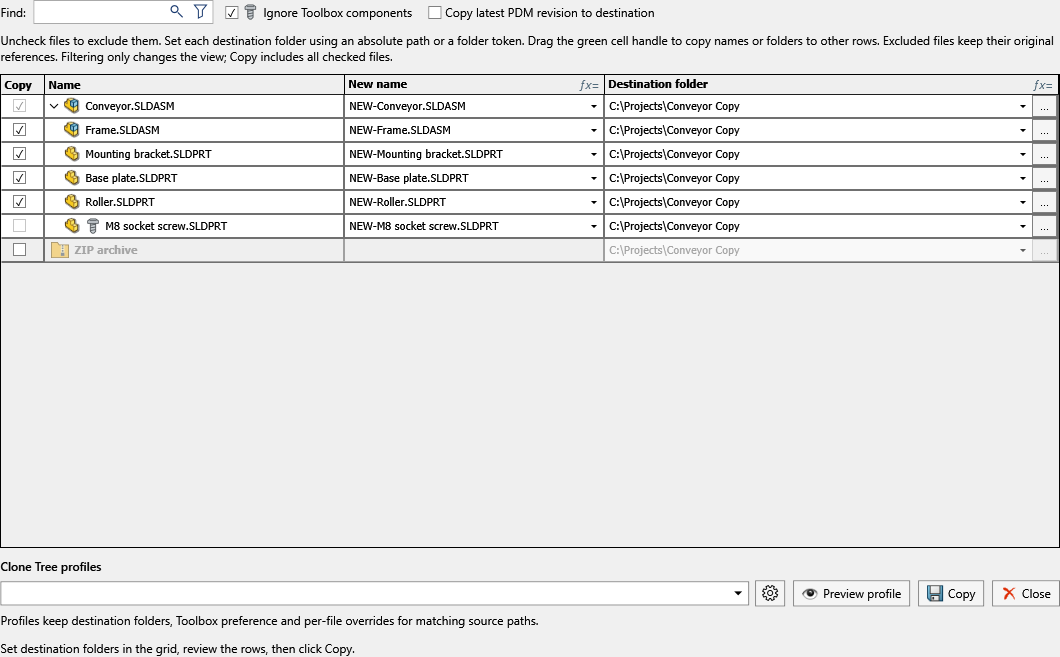
Clone Tree builds a copy plan for the active document and its references. Each included file can have its own name and destination while SOLIDWORKS references are updated to the copied files.
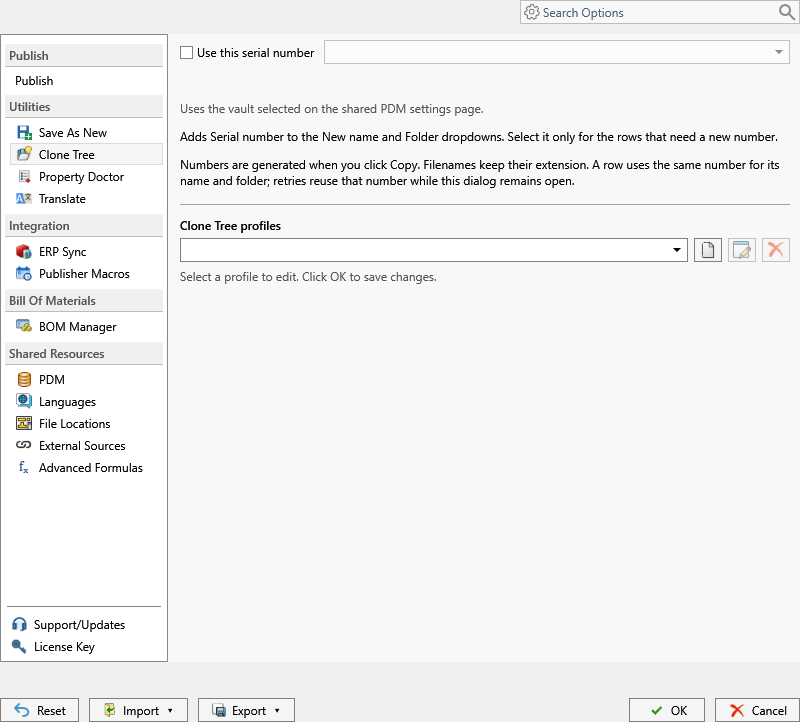
Open PDMPublisher > Settings > Clone Tree to select the shared PDM serial number and maintain command profiles.
Create a Package
- Save the active SOLIDWORKS document.
- Select PDMPublisher > Clone Tree.
- Check the files to copy and uncheck files to exclude.
- Set the New name and Destination folder values. Use each cell's menu for document values, properties, folder values, PDM values, serial numbers, or formulas.
- Optionally include companion STEP, PDF, or DXF files and configure ZIP output.
- Select Copy.
Excluded files keep their original references. Search and type filters change only the visible rows; all checked files remain in the copy plan.
Copy Options
| Option | Behavior |
|---|---|
| Ignore Toolbox components | Leaves Toolbox components out of the copied document set. |
| Copy latest PDM revision to destination | Copies the latest assigned revision directly to each destination. It does not update the local vault cache or reload SOLIDWORKS. Vault files without an assigned revision cannot use this option. |
| Version | In SOLIDWORKS 2024 and newer, saves in the current release or either of the two previous releases. |
| Companion files | Includes existing same-named STEP/STP, PDF, or DXF files found for a document. |
| ZIP archive | Creates a ZIP after the file copies complete, using its own filename and destination. |
| PDM serial number | Assigns one reserved number per included row and reuses it when both the filename and folder need that number. |
Profiles and Rules
Clone Tree profiles preserve destinations, Toolbox preference, companion formats, latest-revision behavior, ZIP settings, per-file overrides, and ordered rules. Rules can set a filename or export location when their conditions match; later rules can replace earlier values.
Manage profiles in Settings > Clone Tree, or select the gear in the Clone Tree window. The arrow beside the CommandManager command opens a saved profile directly.
A profile can run a Property Doctor profile after copying. That processing applies to copied files and requires files compatible with the current SOLIDWORKS version.
Validation
Before copying, PDMPublisher rejects duplicate targets, source overwrites, changed SOLIDWORKS extensions, existing targets, unresolved destination expressions, and unavailable PDM revision data. Review the grid again if references change while the window is open.