
Languages
Open PDMPublisher > Settings > Languages to select the language used by PDMPublisher commands, dialogs, labels, and messages.
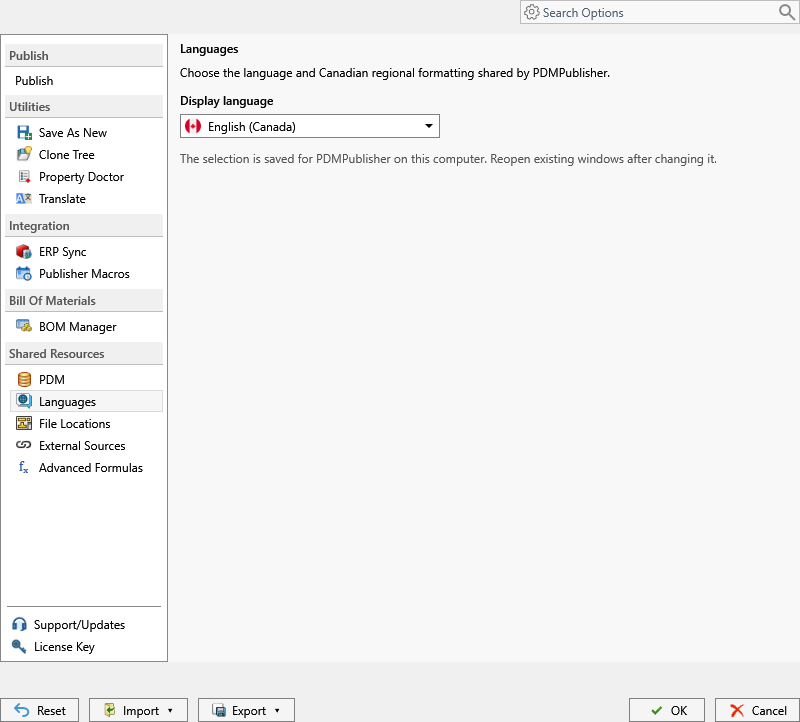
- Select the preferred language.
- Select OK.
- Reopen existing PDMPublisher windows after changing the selection.
The selection also controls the supported regional formatting associated with that language, such as English (Canada).
The available interface languages in version 2026.09.25 are English (Canada), French (Canada), German (Germany), Dutch (Netherlands), and Portuguese (Portugal). Languages marked Coming soon in the selector cannot be selected yet.
The language setting changes the interface. It does not translate SOLIDWORKS document properties, filenames, profile names, annotation text, log entries produced by SOLIDWORKS, or values returned by external sources.
If a translation is incomplete, the affected label may remain in the default language. Include the label and selected language when reporting it to support.