
Help Task Pane
The PDMPublisher task pane is a documentation browser. Commands and settings have moved to the SOLIDWORKS PDMPublisher CommandManager tab and Tools > PDMPublisher menu.
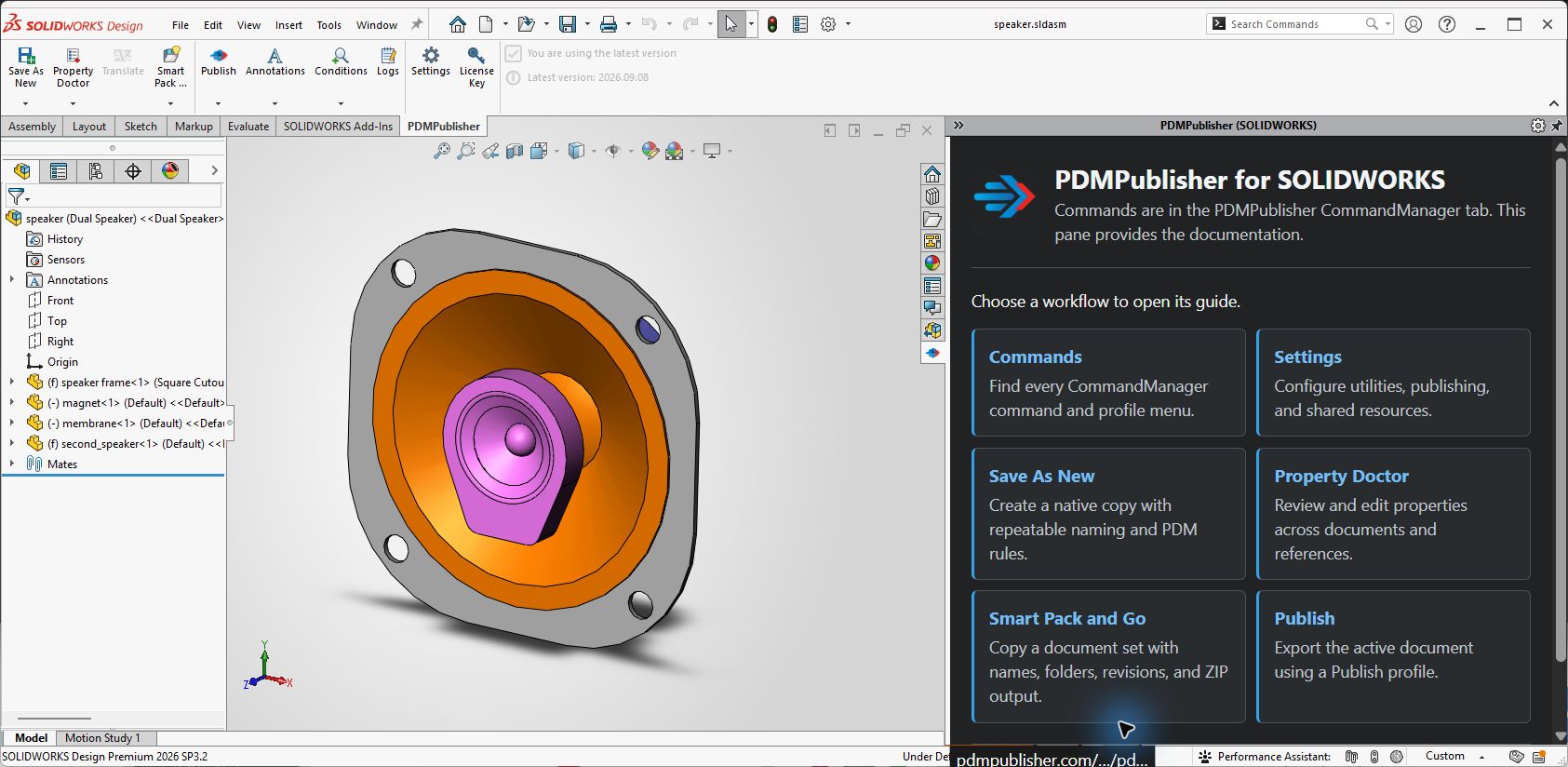
The pane opens the compact PDMPublisher for SOLIDWORKS welcome page. Select a documentation link to navigate within the pane. Links that request a new window open in the default web browser.
Help Pane Links
| Link | Opens |
|---|---|
| Commands | CommandManager command reference and profile-menu behavior. |
| Settings | Unified settings dialog and settings-transfer reference. |
| Save As New | Native-copy workflow and all Save As New controls. |
| Property Doctor | Property review, column, action, preview, and apply workflow. |
| Clone Tree | Document-set copy, rename, destination, revision, and ZIP workflow. |
| Publish | Publish profiles, export settings, and job execution. |
| Full overview | Complete PDMPublisher for SOLIDWORKS overview. |
| Installation | MSI installation and add-in activation. |
| Licensing | Trial, activation, deactivation, and license management. |
| Support | Blue Byte Systems support channel. |
Use the task-pane scrollbar when the lower links are outside the visible area. The pin and collapse controls in the task-pane header are SOLIDWORKS controls: pin keeps the pane open, and collapse returns space to the graphics area.
Requirements
The embedded page uses Microsoft Edge WebView2 Runtime. Current supported Windows installations normally already have the Evergreen Runtime.
If the pane reports that help could not be loaded:
- Confirm that the computer can open
https://pdmpublisher.com/help/addinwelcome.htmlin a browser. - Select the message in the pane to retry.
- Install or repair Microsoft Edge WebView2 Runtime if the message says the runtime is unavailable.
- Restart SOLIDWORKS.
Publishing and utility commands remain available if the help page or WebView2 cannot load.
Note
The embedded welcome page is intentionally excluded from search-engine indexing. The linked documentation pages remain searchable.