
Annotations Task Page
Use the Annotations task page to add text notes or watermarks to exported PDF documents.
Important
This is the PDM task Annotations page. The annotation controls are also used by the SOLIDWORKS add-in, but PDM variables come from the vault task context. See SOLIDWORKS Add-in Annotations.
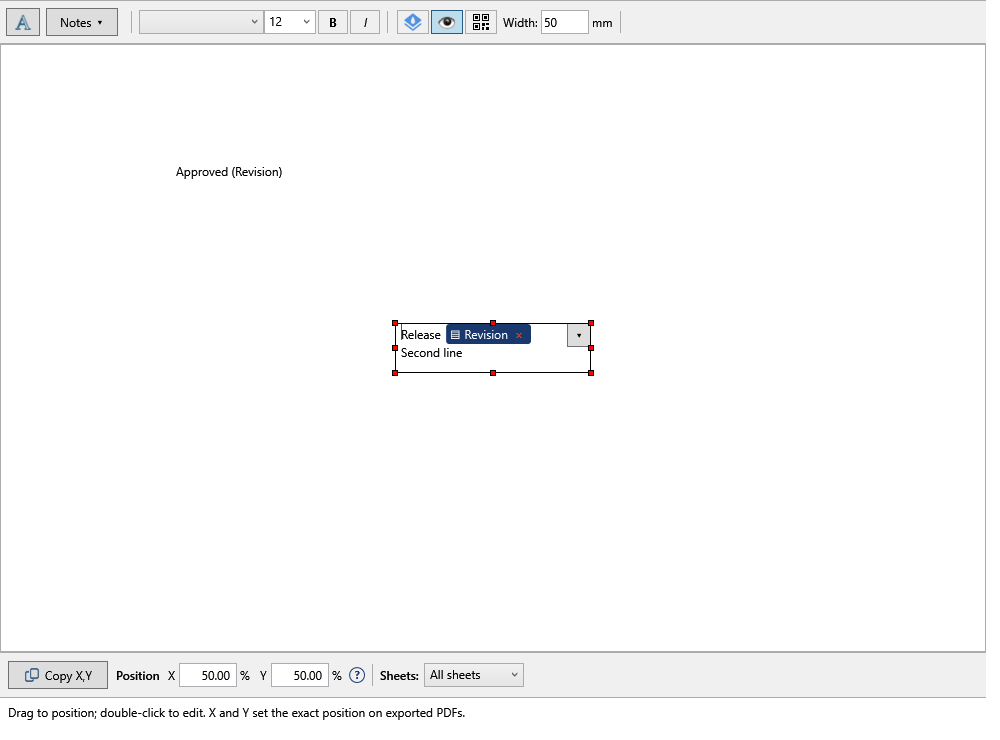
Each annotation can have its own text, formatting, position, sheet rule, and active state.
The large workspace below the toolbar previews the annotations configured for the task. Drag an annotation to place it, drag its handles to resize it, or double-click it to edit its text. Use X and Y for an exact output position. The toolbar controls formatting, watermarks, QR codes, width, and sheet selection.
Open the editor from Options > Annotations.... Changes are staged in the editor and saved when you confirm the dialog.
Annotation Settings
| Setting | Summary | Details |
|---|---|---|
| Add Annotation | Create a new annotation box. | Open |
| Annotation Text | Enter fixed text or use PDM variables. | Open |
| SQL Query Placeholders | Retrieve annotation text from a SQL database using the filename, part, assembly, or drawing value. | Open |
| Text Formatting | Set font, size, and text style. | Open |
| Watermark | Rotate and fade an annotation for watermark-style output. | Open |
| Active | Include or skip an annotation without deleting it. | Open |
| Position | Move the annotation or set X/Y percentages. | Open |
| Sheets | Choose which drawing sheets receive the annotation. | Open |