
Publishing Annotations
Annotations place text, SOLIDWORKS property values, watermarks, or QR codes on exported drawing sheets and PDFs. The selected profile stores the annotation collection.
Select PDMPublisher > Annotations to edit the active Publish profile, or use the command arrow to open a named profile. Use the focused pages beneath Publishing Annotations in the TOC:

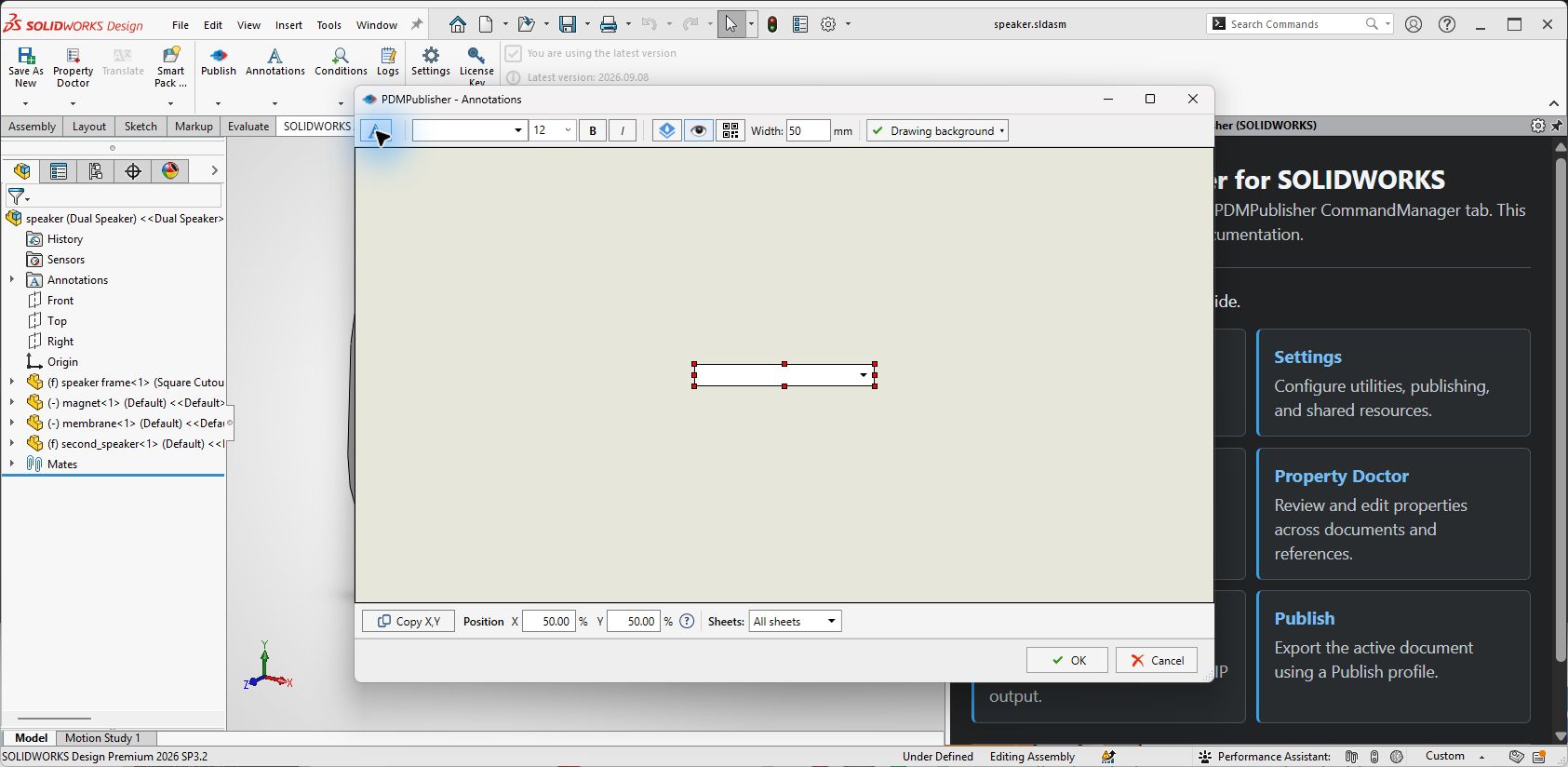
Annotation Editor Controls
| Control | What it does |
|---|---|
| Add annotation | Adds a new annotation row to the selected profile. |
| Annotation text | Sets literal text and placeholders evaluated during publishing. |
| Font and size | Selects the typeface and point size. |
| Bold / Italic | Applies emphasis to the annotation text. |
| Watermark | Renders the annotation as a watermark. |
| Show annotation | Includes the annotation during export. Clear it to keep the definition without publishing it. |
| QR code | Renders the evaluated annotation value as a QR code. |
| Width (mm) | Sets the QR code or annotation width in millimetres. |
| Drawing background | Controls the drawing background used by the positioning preview. |
| Show placeholders | Shows placeholder names in the preview instead of evaluated values. |
| Copy X,Y | Copies the position of the selected SOLIDWORKS drawing note into the annotation's X and Y fields. |
| Position X / Y (%) | Positions the annotation as a percentage of the sheet width and height. |
| Sheets | Chooses which drawing sheets receive the annotation. |
| Names separated by comma | Limits a named-sheet selection to the comma-separated sheet names. |
| OK / Cancel | Saves the profile changes or closes the editor without saving them. |
The drawing area is a positioning preview. Adding or moving an item there does not add a SOLIDWORKS note to the source drawing.
| Category | Pages |
|---|---|
| Content | Add Annotation, Annotation Text, and SQL Query Placeholders |
| Appearance | Text Formatting, Watermark, and Active |
| Placement | Position and Sheets |
| Settings transfer | Import and Export Annotations |
Note
Annotation controls are shared with the PDM task, but the SOLIDWORKS add-in obtains properties from the active document and saves annotations in the selected Publish profile.