
Advanced Formulas
Open PDMPublisher > Settings > Advanced Formulas to maintain named expressions shared by supported filename, folder, and property menus.
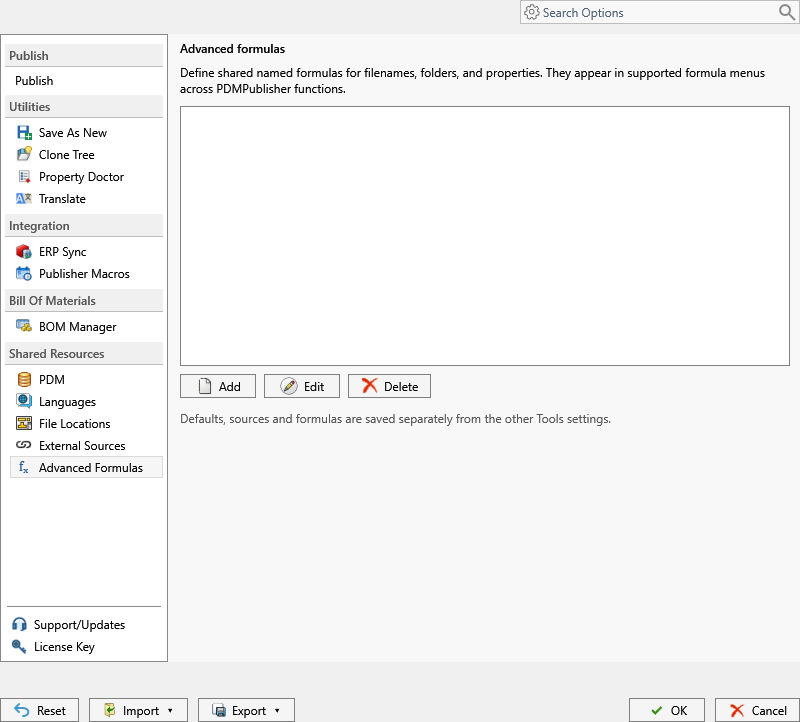
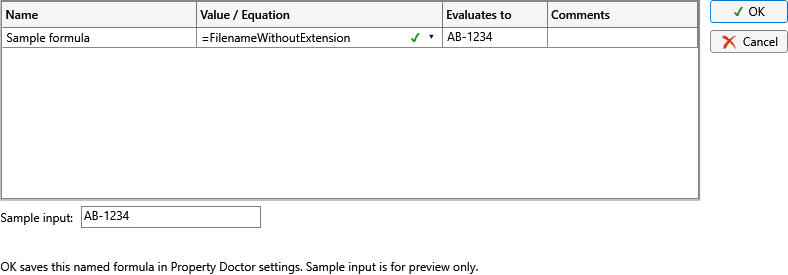
Select Add or Edit to open the formula editor and build the named expression.
| Command | Behavior |
|---|---|
| Add | Creates a named formula. |
| Edit | Opens the selected formula for changes. |
| Delete | Removes the selected formula after confirmation. Existing profiles that refer to it should be reviewed. |
Give each formula a name that describes its result, such as Released filename or Customer output folder. Build and test formulas with documents that contain values, missing values, configuration-specific values, and characters that are invalid in Windows filenames.
Formulas are definitions, not copied results. PDMPublisher evaluates a formula in the context of the document and configuration being processed. If the formula uses a property or external source, confirm that resource is available on every computer that imports the settings.
Defaults, external sources, and formulas are saved separately from the other utility settings.
Tip
Export all settings before making a broad formula change. One shared formula can affect several profiles and utility workflows.