
Publishing Conditions
Conditions decide which assembly files are included in a publish job. The selected profile stores the condition tree.
Important
Enable Export References Individually when conditions must filter the active assembly and its referenced files.
Select PDMPublisher > Conditions to edit the active Publish profile, or use the command arrow to open a named profile. Use the focused pages beneath Publishing Conditions in the TOC:

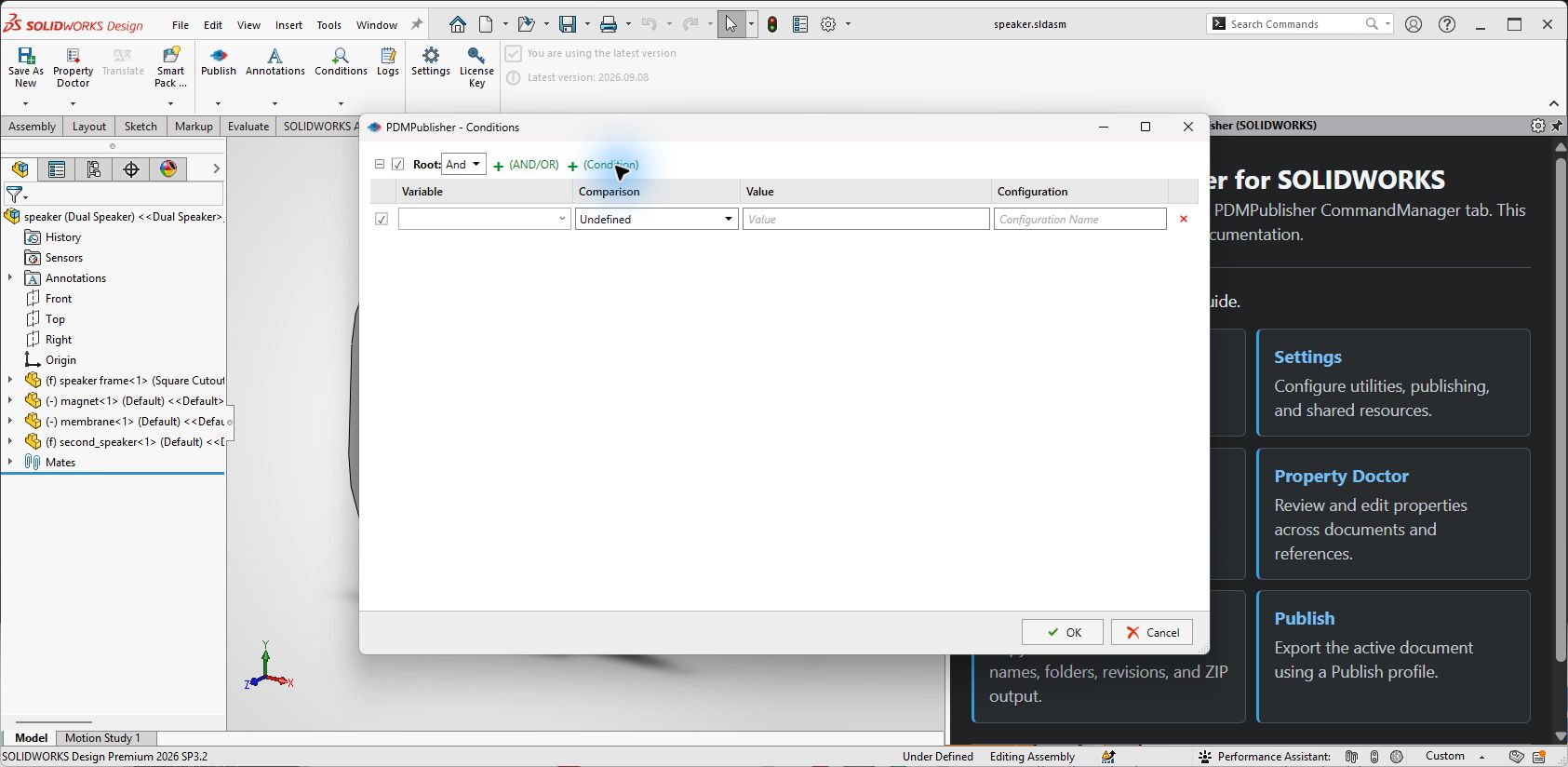
Condition Editor Controls
| Control | What it does |
|---|---|
| Enable check box | Enables the root, group, or condition row. Disabled items remain in the profile but are not evaluated. |
| Expand/collapse arrow | Shows or hides the children of a condition group. |
| AND / OR | Defines whether every child must pass (AND) or whether any child may pass (OR). |
| + (AND/OR) | Adds a nested condition group. |
| + (Condition) | Adds a condition row to the selected group. |
| Variable | Selects the property, file value, or special variable to evaluate. |
| Comparison | Selects the test applied to the variable. A new row remains Undefined until a comparison is chosen. |
| Value | Supplies the comparison value. |
| Configuration | Limits property evaluation to the named SOLIDWORKS configuration when applicable. |
| Delete (×) | Removes the corresponding group or condition. |
| OK / Cancel | Saves the condition tree or closes the editor without saving it. |
Build from the root downward. Use nested groups when one part of the rule needs different AND/OR behavior from its parent.
| Category | Pages |
|---|---|
| Build rules | Add Conditions and Groups and Condition Fields |
| Values and comparisons | Special Variables and Condition Types |
| Processing | Evaluation Rules, Review Condition Results Before Export, and Import and Export Conditions |