
Publishing Logs
Select PDMPublisher > Logs to open Publishing results and review successful outputs, skipped items, warnings, failures, and detailed processing messages from jobs in the current SOLIDWORKS session.
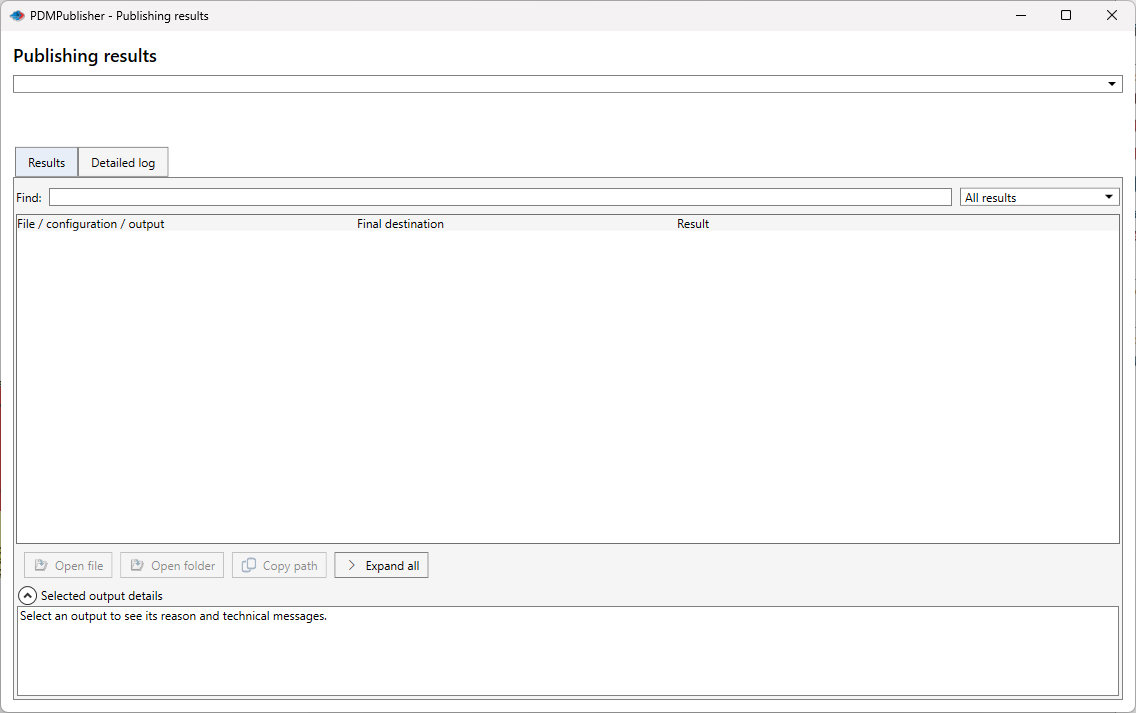
| Control | What it does |
|---|---|
| Job selector | Chooses a publishing run from the current SOLIDWORKS session. |
| Results | Groups source files, configurations, drawings, and generated outputs with their final destinations and outcomes. |
| Detailed log | Shows the chronological processing log for the selected run. |
| Find | Searches filenames, configurations, destinations, and result reasons. |
| Result filter | Shows all results or narrows the grid to a specific outcome. |
| Open file / Open folder | Opens the selected generated file or its destination folder. |
| Copy path | Copies the selected output path. |
| Expand all / Collapse all | Expands or collapses the hierarchical result tree. |
| Selected output details | Displays the selected output's reason and technical message. |
| Page | Purpose |
|---|---|
| Search and Read Logs | Filter entries and interpret the entry colors. |
| Save and Clear Logs | Save the complete session log or clear the in-memory entries. |
Tip
Save the log immediately after a failed job and include it when contacting support@bluebytesystemsinc.zohodesk.com.