
File Locations
Open PDMPublisher > Settings > File Locations to define where PDMPublisher searches for drawings associated with parts and assemblies.
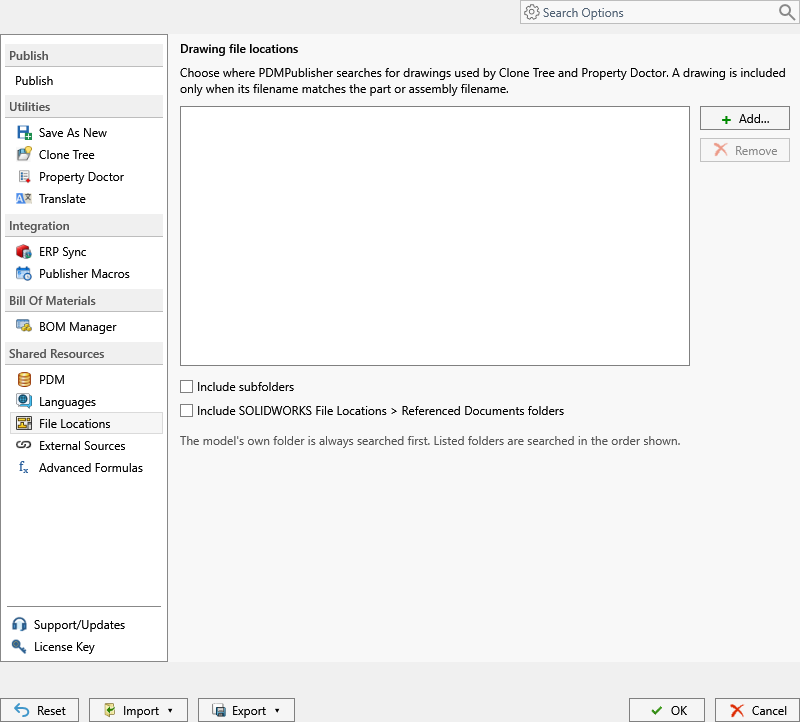
Search Order and Controls
| Control | Behavior |
|---|---|
| Add | Adds a folder to the search list. |
| Remove | Removes the selected folder from this list without deleting the folder. |
| Include subfolders | Searches beneath every listed folder. Enable it only where the folder structure is controlled; broad trees can slow searches. |
| Include SOLIDWORKS File Locations > Referenced Documents folders | Adds the Referenced Documents folders configured in SOLIDWORKS to the search. |
PDMPublisher searches the active model's folder first, then the configured folders in list order. A drawing is included only when its filename matches the part or assembly filename. Keep the list narrow and place the most likely locations first.
These locations help locate a same-name or otherwise associated drawing; they do not change SOLIDWORKS reference paths and are not export destinations. Configure output folders in Export Location.