
External Sources
Open PDMPublisher > Settings > External Sources to maintain reusable SQL Server source definitions.
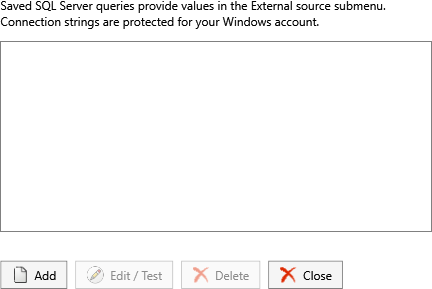
Select Add or Edit / Test to open the source editor.
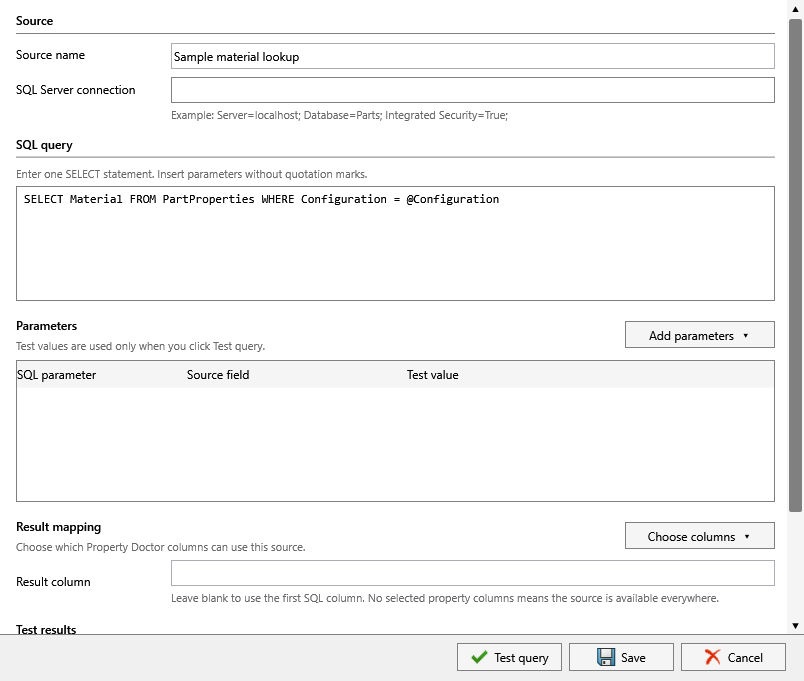
| Command | Behavior |
|---|---|
| Add | Creates a named source and query definition. |
| Edit / Test | Updates the selected definition and tests it with a configuration name, filename, or property value. |
| Delete | Removes the selected definition after confirmation. |
Use a descriptive name that explains the returned value. Test the source with representative data before inserting it into a property, formula, filename, or annotation workflow. A successful connection does not guarantee that every document returns a row, so define the expected empty-result behavior in the consuming workflow.
Defaults, external sources, and formulas are saved separately from the other utility settings.
Important
Database credentials remain local and are not included in exported settings or PIN shares. Re-enter credentials on the destination computer after importing a configuration.
Use a database account with only the permissions required to run the query. Do not place passwords in query text, profile names, formulas, or annotations.